Invoices, quotes and payments
What billing contacts see in the portal - their invoices and statement, paying by card, accepting quotes, and saving a card for autopay.
Billing contacts and the primary contact see the client's money side of things under Billing. They can pay what's owed by card, accept or decline quotes, and look up any invoice or receipt themselves - which saves you a lot of "can you resend that invoice?" emails.
Invoices
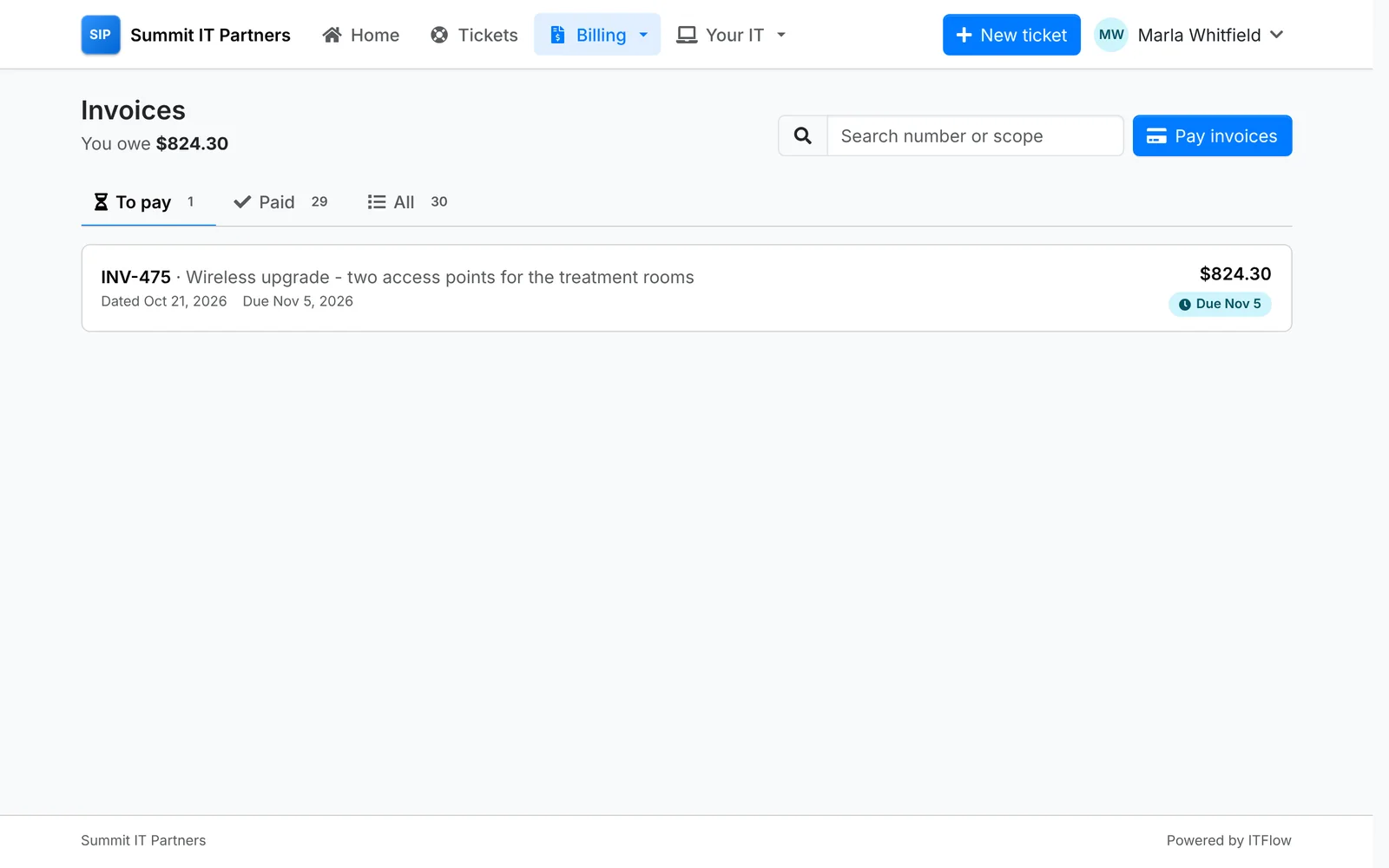
Invoices shows what they owe - and how much of it is late - with tabs for To pay, Paid and All. Drafts never show.
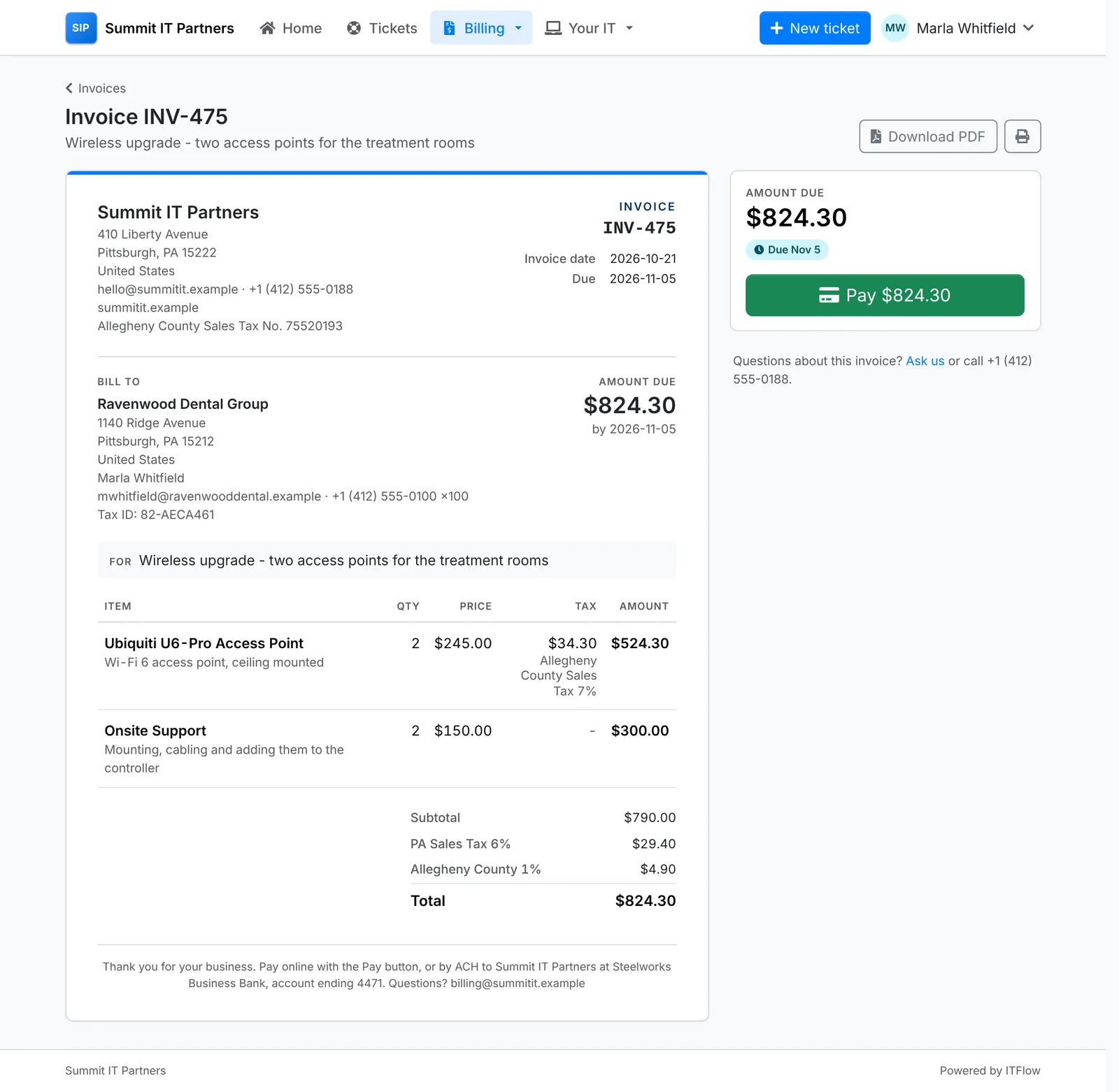
Each invoice opens in the portal as it prints, with what's due, Pay, Download PDF and print. Ask us raises a ticket about it, with the invoice in the subject.
Paying
When you've connected a payment provider, Pay invoices - on Home, Invoices and Statement - lists everything still owed, ticked. They untick any they're not paying now, and pay the rest as one card payment, with a saved card or a new one on the secure payment page.
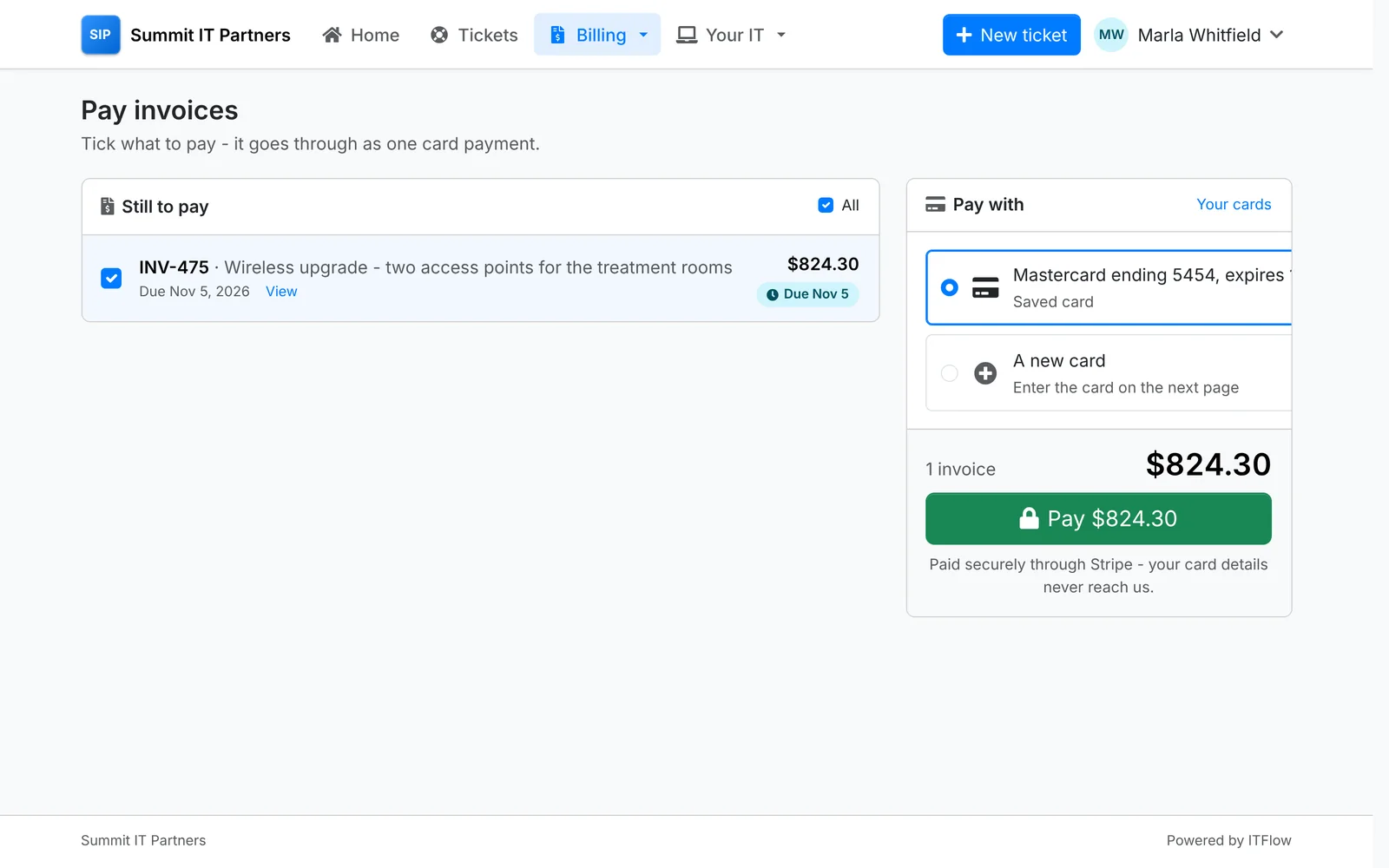
The payment is recorded on each invoice in ITFlow straight away, and they get a receipt. See Taking payments.
Payments lists everything they've paid - by card, check, transfer or autopay - each with its receipt.
Statement
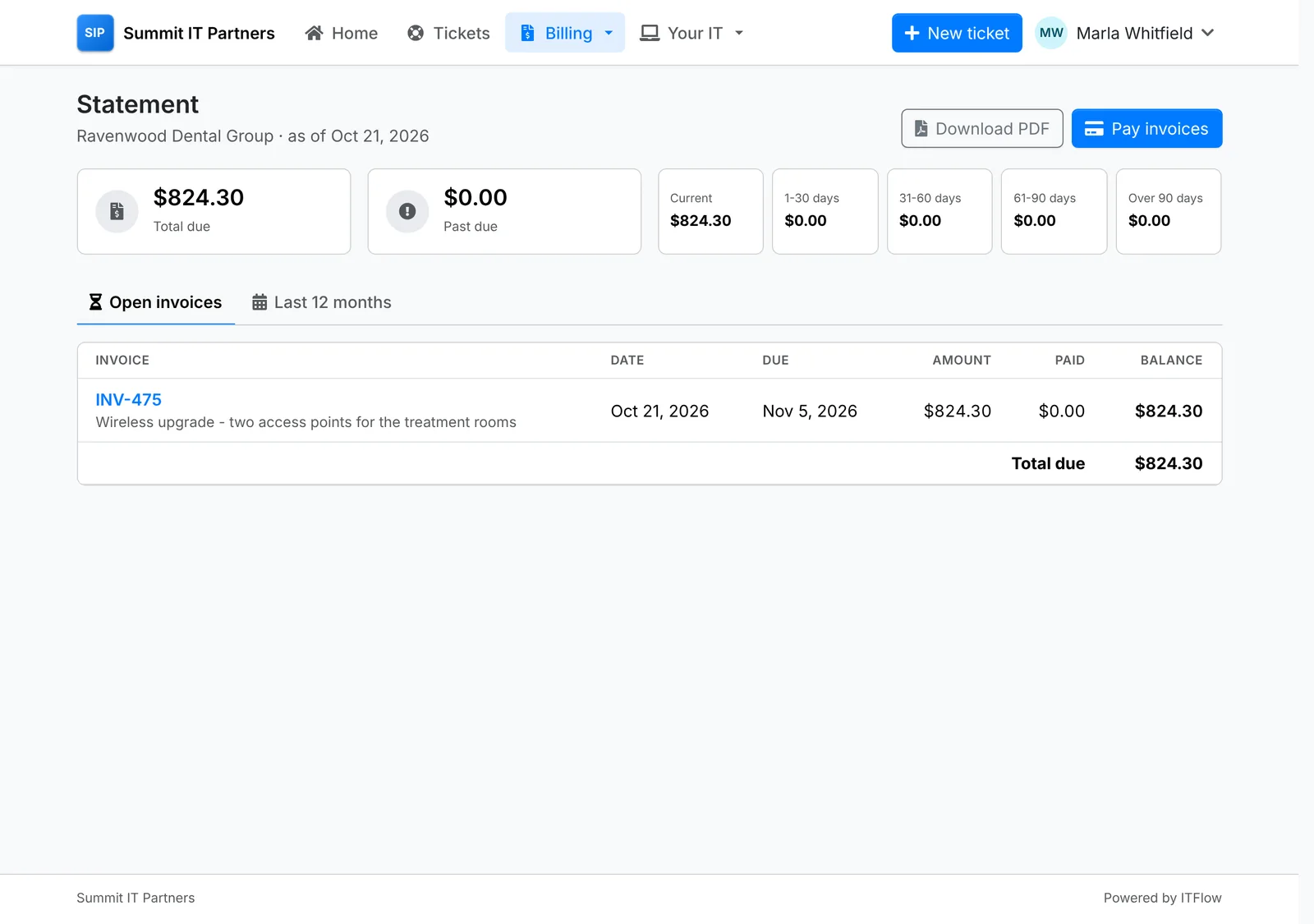
Statement shows what's owed and how late it is - current, 1-30, 31-60, 61-90 and over 90 days past due - with the invoices behind it. Last 12 months includes the paid ones too. Download PDF gives them the same statement you'd email.
Quotes
Quotes has the ones waiting for an answer, the accepted ones, and all of them. A quote opens as it prints, with what it comes to - up front, and each month for the recurring part - how long it's good for, and Accept or Decline.
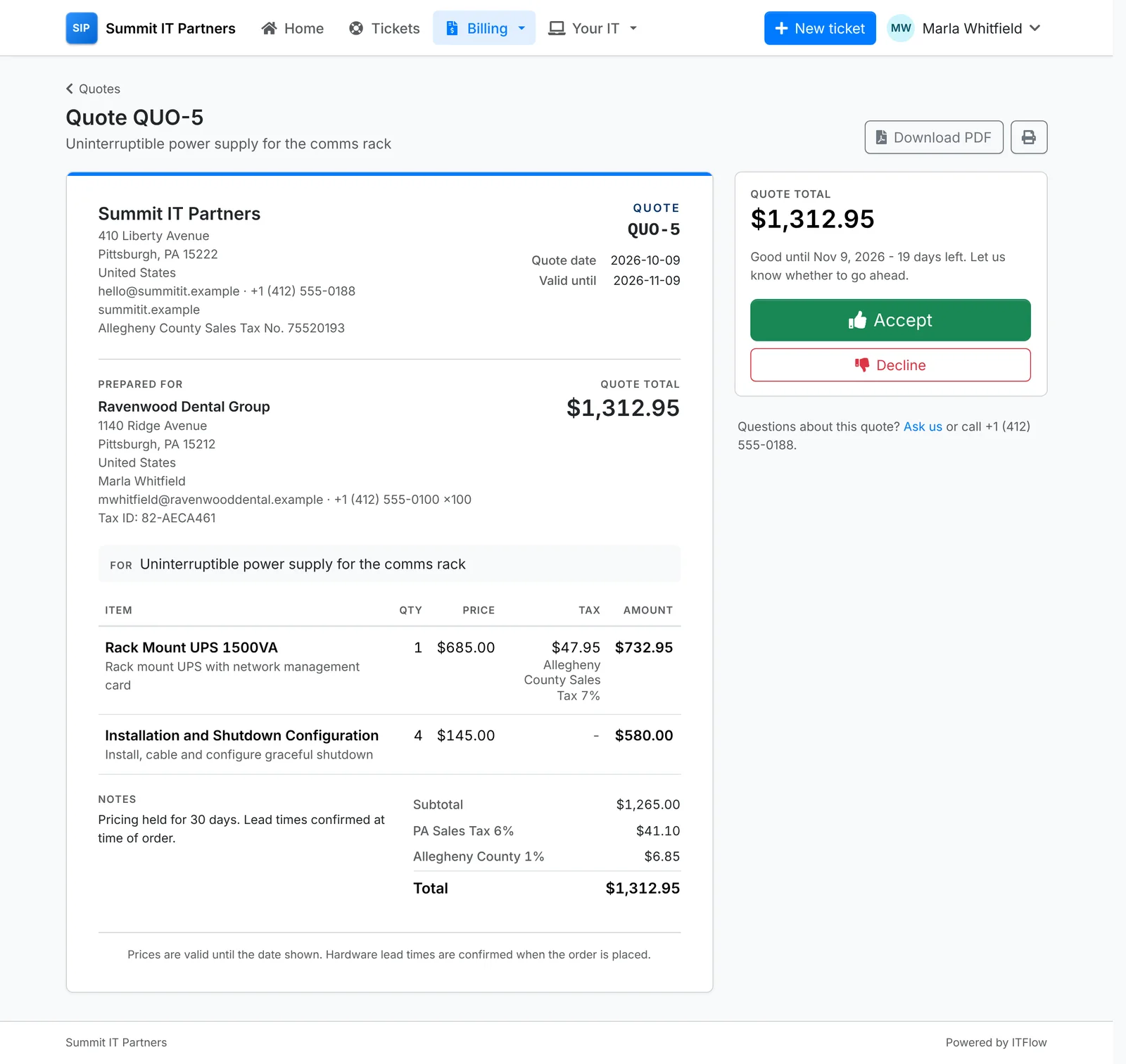
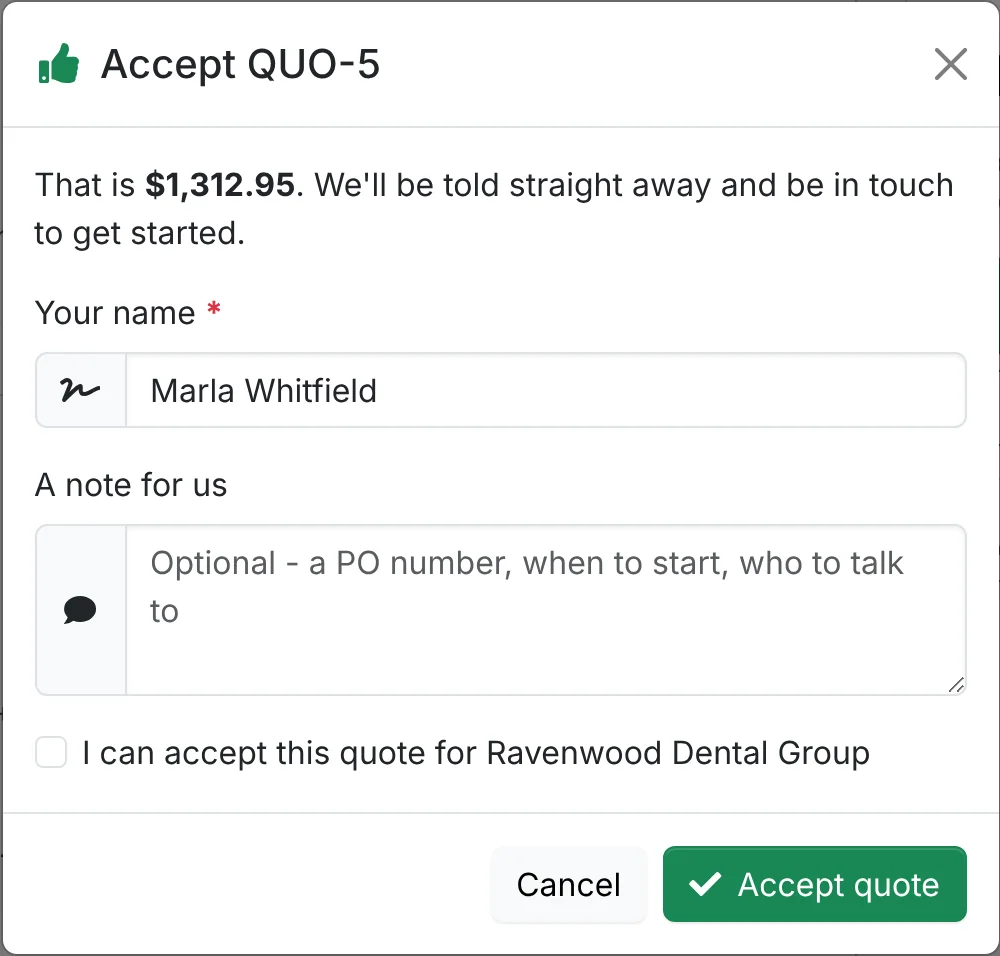
To accept, they type their name, tick that they can accept it for their company, and can leave a note - a PO number, or when to start. To decline, they can say what would change their mind. Either way you're told straight away - see Quotes.
Once accepted, Signed copy or PO lets them send you the signed quote or a purchase order. An expired quote says so, with Ask for an updated quote.
Recurring invoices
Recurring invoices shows what you bill them each month, quarter or year, when the next invoice comes, and whether autopay pays it. Each opens to show what it covers.
Cards and autopay
Under Cards & autopay, they can save a card - entered on the payment provider's own page, so the card details never reach you - and remove it again.
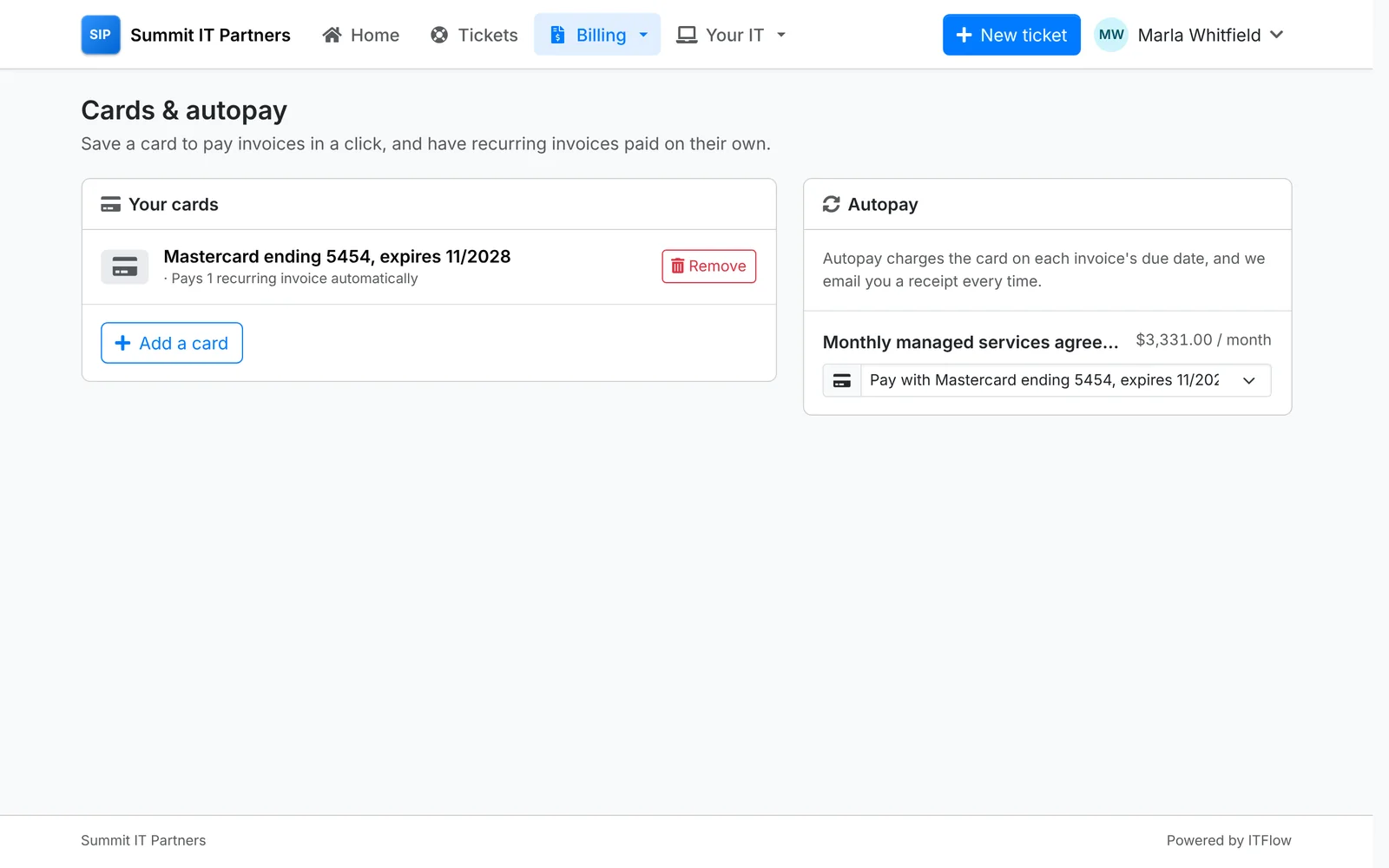
Autopay lists their recurring invoices. Picking a card for one means each invoice it makes is charged on its due date, with a receipt emailed every time. Off - I'll pay each invoice turns it off.
A saved card also lets your team use Charge Saved Card on an invoice, and shows on the client's recurring invoices in ITFlow - see Recurring invoices.