Reconciling an account
Check an account against its bank or card statement, line by line, so you know ITFlow's figures match the bank's.
Reconciling checks an account in ITFlow against the statement from your bank or card company. You tick off each line the statement shows; when what's ticked comes to the statement's ending balance, the two agree, and you finish. Anything left unticked is something to look into - a check that hasn't cleared yet, or an expense nobody recorded.
Do it each time a statement arrives - monthly, for most accounts.
Start a statement
Open Finance > Accounts, and pick Reconcile from the account's ⋮ menu.
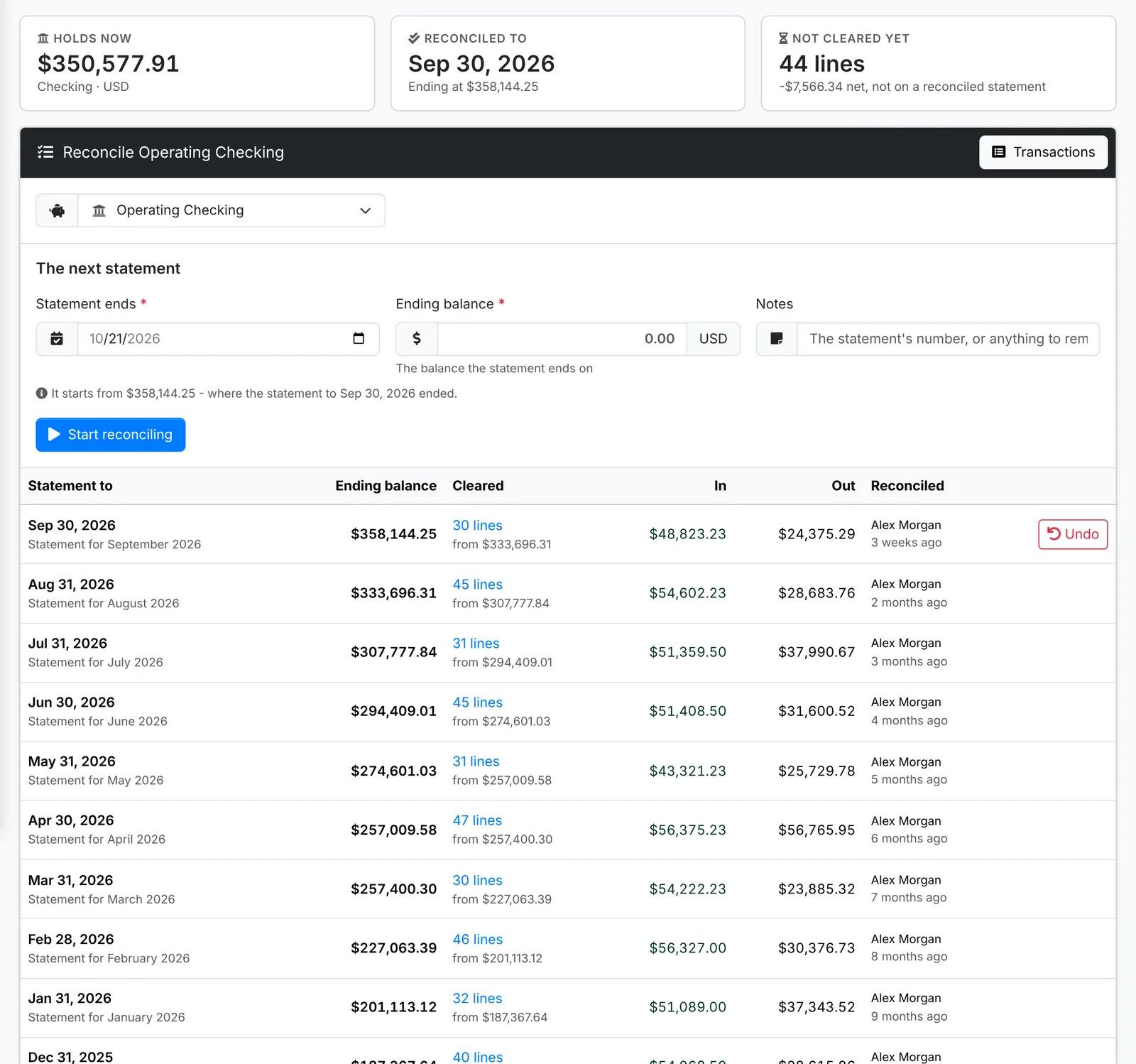
The page shows where the account is Reconciled to, and how many lines haven't cleared yet. Under The next statement:
- Set the date the Statement ends and its Ending balance. It starts from where the last statement ended.
- Add Notes if you like - the statement's number, or anything to remember.
- Click Start reconciling.
For an account's first statement, ITFlow can start from the bank's balance on the day it starts, counting everything before it as reconciled. If ITFlow was out from the bank that day, the opening balance can be corrected to match.
Tick off the lines
Every line on the account up to the statement's end that hasn't cleared yet is listed. Tick each one that's on the statement.
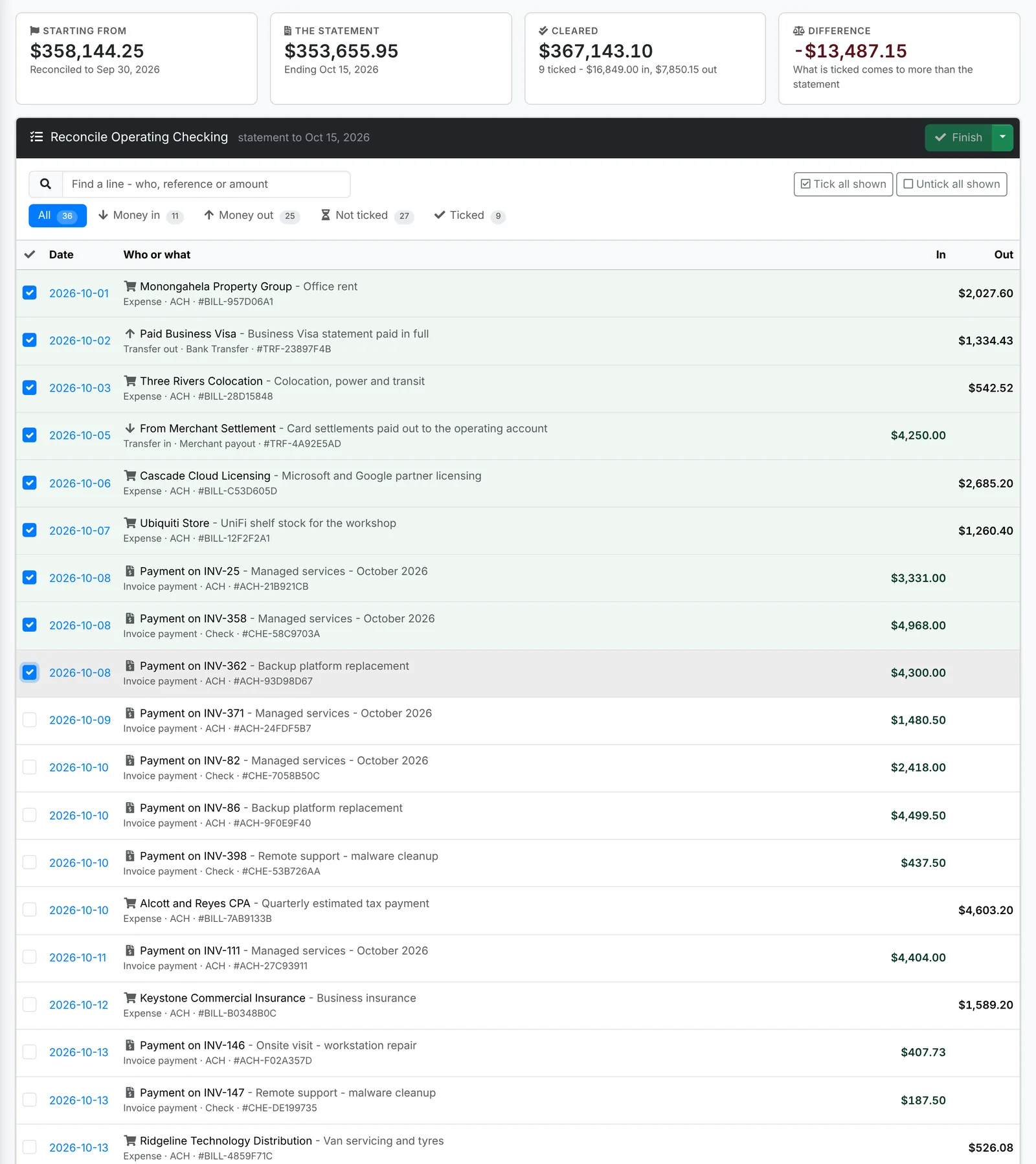
- Along the top: where it's Starting from, The statement's ending balance, what you've Cleared so far, and the Difference.
- Lines brought in from a bank statement start ticked.
- Find a line searches by who, reference or amount. The tabs show Money in, Money out, Not ticked and Ticked, and Tick all shown ticks everything the search or tab shows.
- Ticks are saved as you go, so you can leave it and come back to finish another time.
Missing a line - a bank fee, interest, a charge nobody entered? The arrow beside Finish has New Expense, New Income and New Transfer to add it there and then, and Change the statement if you typed the date or balance wrong.
When the Difference comes to nothing, click Finish. The ticked lines are marked cleared, with a tick by their date in Transactions.
Statements done before
Under the next statement is every statement reconciled before, with its ending balance, how many lines it cleared, the money in and out, and who reconciled it. Click the lines to see them in Transactions.
The latest has Undo, which opens it again with what was ticked, so you can change it and finish it again.