Domains
A client's domain names, who they're registered with and hosted by, when they expire, and whether their email is set up safely.
A domain is one of the client's web addresses, such as ravenwooddental.example. ITFlow looks each one up by itself: when it expires, its name servers, its web and mail records, and whether its email has SPF, DMARC and DKIM set up.
The domains list
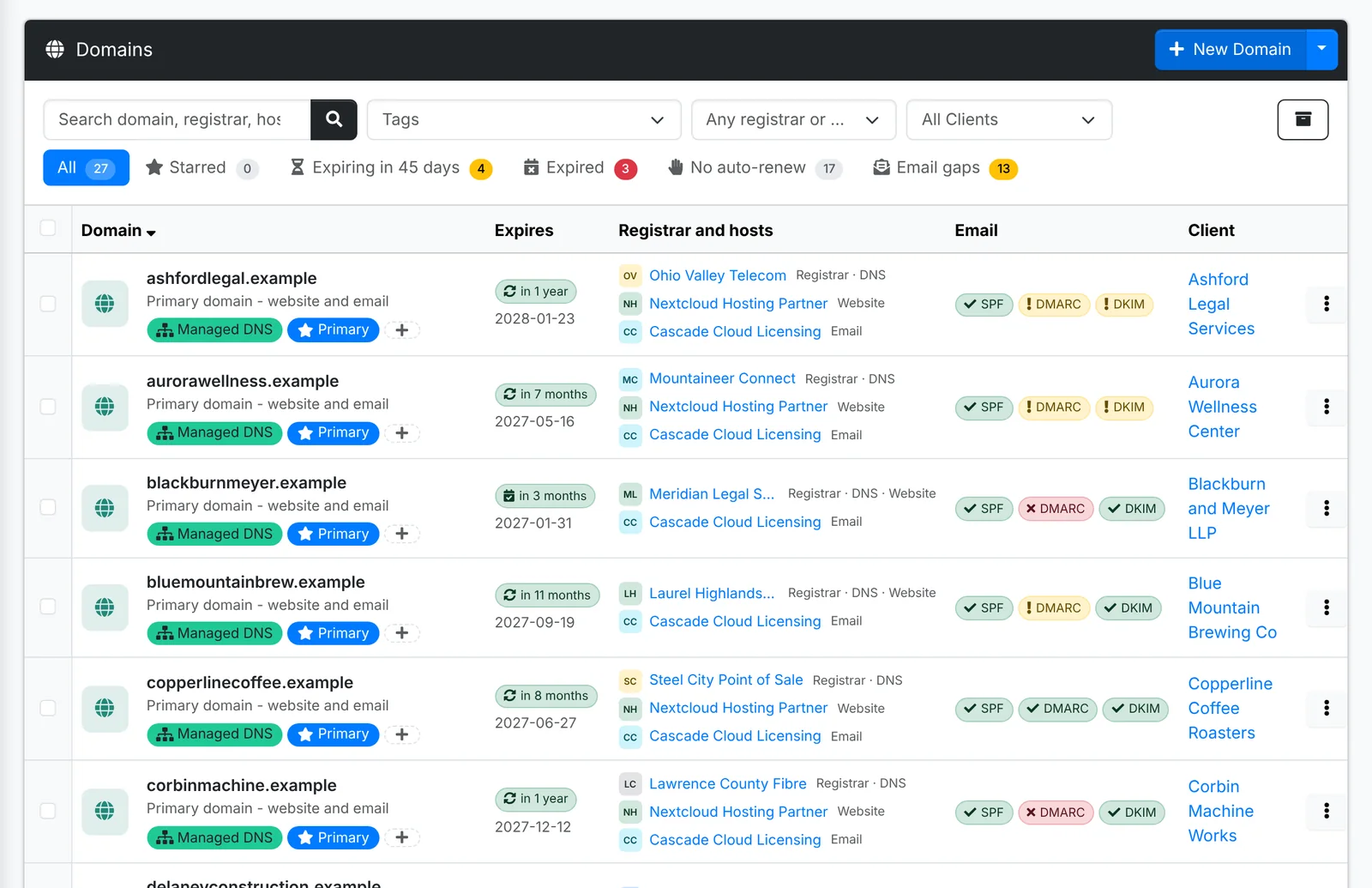
- Expires shows a pill - red when it has expired, amber when it's close, and blue when it's close but set to renew by itself.
- Registrar and hosts shows who it's registered with, and who hosts its DNS, website and email.
- Email shows SPF, DMARC and DKIM pills - green when they're set up.
- Tabs: Starred, Expiring in 45 days, Expired, No auto-renew and Email gaps (domains missing one of the email checks).
Tick domains and use Bulk Action to Look up now, Set registrar or host, tag, star or archive them.
Add domains
- Open the client, go to Domains and click New Domain.
- On Domain, pick One domain and type the Domain name, or pick Several at once and paste a list - one per line, or separated by spaces or commas. A pasted web address such as
https://www.example.com/contactis tidied down toexample.com, and the name is checked as you type. - Leave Expires empty - it's looked up from the registry - unless the registry doesn't publish it. Switch on Auto-renews at the registrar if it does.
- On Who, pick the Registrar, and the DNS host, Website host and Email host - the client's own vendors, or yours if you host it. Registrar does it all fills in the registrar for all of them.
- On Details add tags, and on Notes anything to know before touching DNS: who owns the registrar account, how renewal is paid.
- Click Create. When you add several, what you set goes on all of them, and ones the client already has are skipped.
ITFlow looks the domain up when you save it, and again regularly in the background, checking up to 50 domains a run, soonest to expire first.
The domain's quick look
Click a domain to see everything about it.
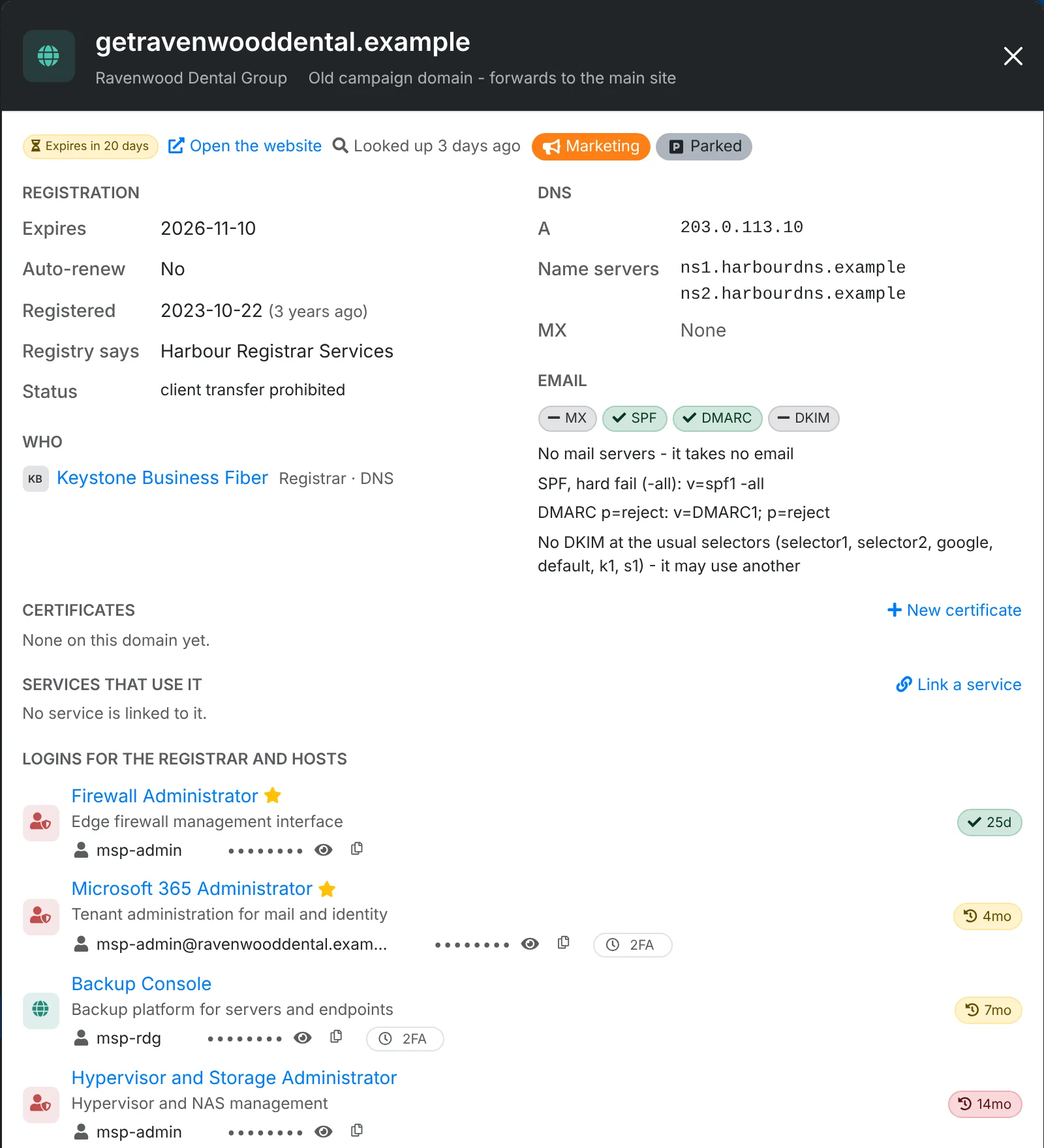
- Registration: when it expires, whether it auto-renews, when it was registered, who the registry says it's with, and its status.
- DNS: its A records, name servers and MX records, each copyable.
- Email: the SPF, DMARC and DKIM checks in plain words - such as "SPF, hard fail (-all)" or "No DKIM at the usual selectors".
- Certificates on the domain, the services that use it, and the logins for its registrar and hosts.
- TXT records and the raw WHOIS, folded away at the bottom.
Look up now checks it again straight away.
Expiring domains show on the dashboard, the client's overview and the calendar, and ITFlow sends notifications as one gets close - saying whether it renews by itself. Clients see their domains and when they expire in the portal.