Canned responses
Shared replies your team puts into a ticket in one go - filled in from the ticket, offered on the right tickets, and setting the status and time as they go in.
A canned response is a reply your team sends again and again - "Account unlocked", "Following up - no reply yet", "Escalated to the vendor" - written once, and put into a ticket in one go. Agents use them from the reply box; see Canned responses.
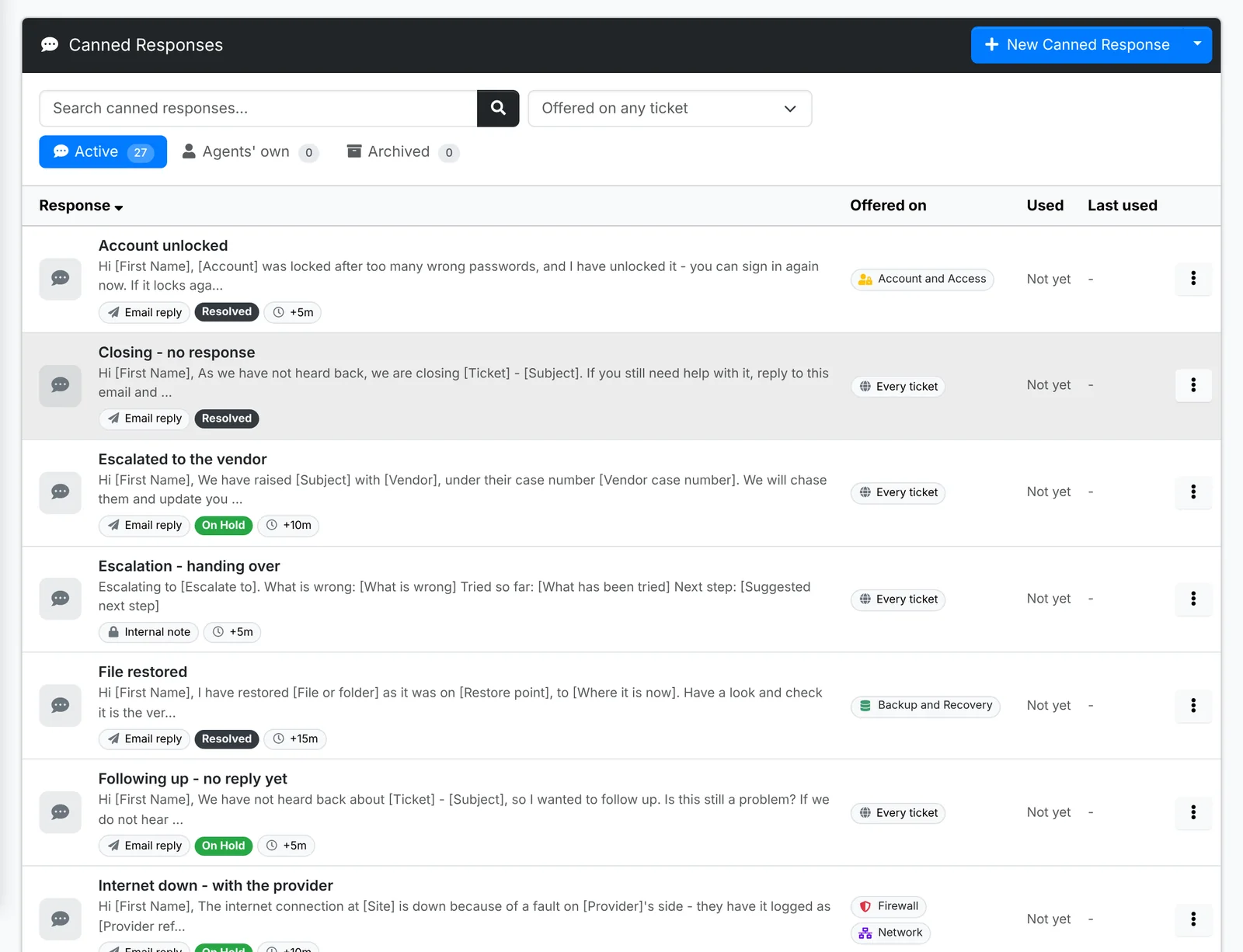
Each row shows what the response says, the ticket categories it's Offered on, what it sets up on the reply - who sees it, the status after it, time worked - and how often it's been used.
The tabs are Active and Archived for the shared ones, and Agents' own - the ones agents made for themselves. One of those can be shared with everyone from its menu.
Write a response
Click New Canned Response. The window has three tabs.
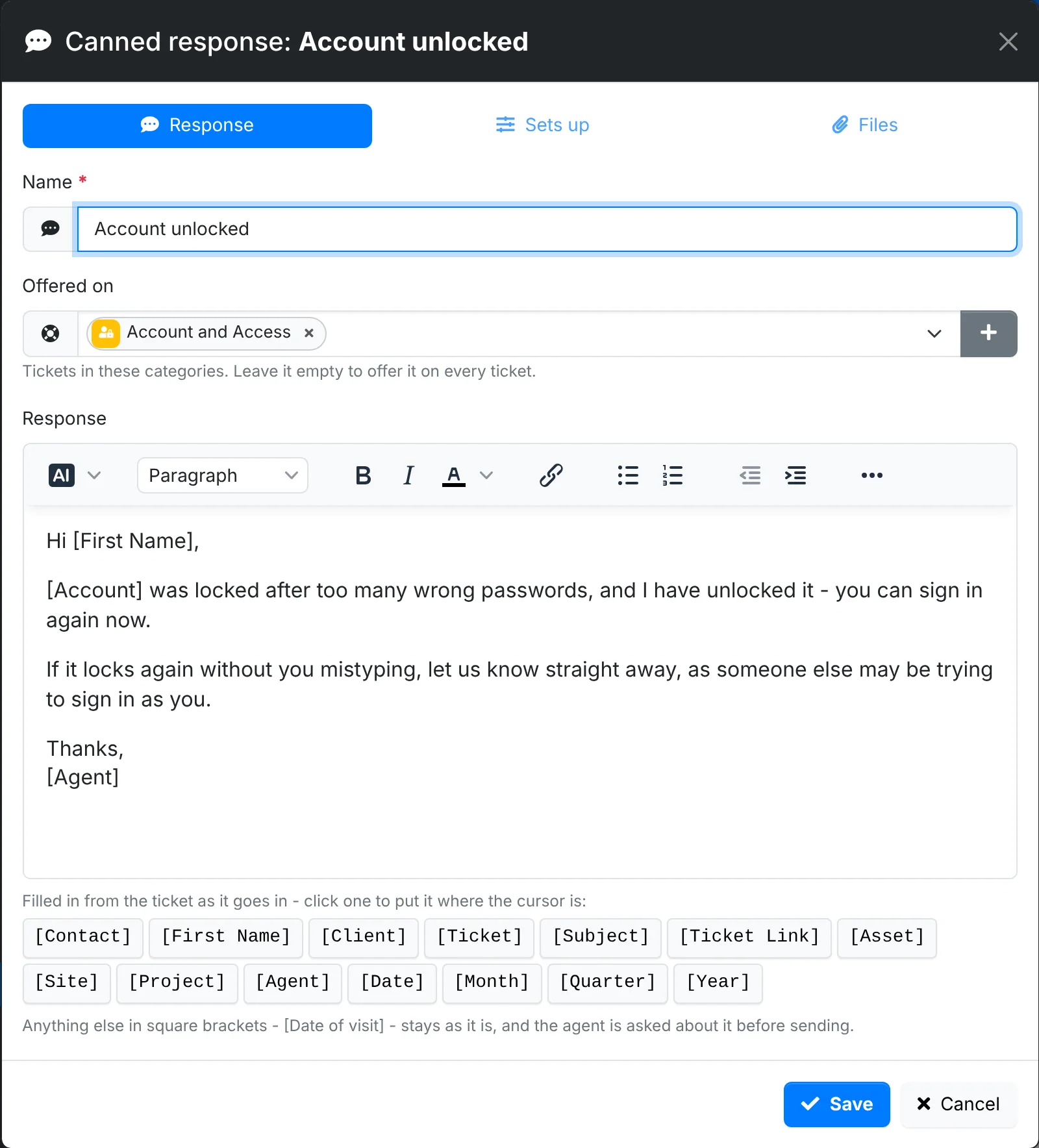
Response:
- Give it a Name.
- Pick the ticket categories it's Offered on - "Account and Access" for "Account unlocked". Leave it empty to offer it on every ticket.
- Write the Response. Click a placeholder to put it where the cursor is:
[Contact],[First Name],[Client],[Ticket],[Subject],[Ticket Link],[Asset],[Site],[Project],[Agent],[Date],[Month],[Quarter]and[Year]are filled in from the ticket as it goes in.
Anything else in square brackets - [Date of visit] - stays as it is, and the agent is asked to fill it in before sending.
Sets up - what the reply becomes: an internal note, public note or email reply, the ticket's status after it - such as Resolved or On Hold - and the time worked to add.
Files - attachments that go with it, such as a how-to PDF.
Share and keep them tidy
- Copy a response to start a similar one.
- Archive one you no longer want offered.
- Import and Export move them to and from a file.
- Starter canned responses adds a library of common ones - see Maintenance.
- How they are used shows which responses go into replies, on how many tickets and by whom - and the ones nobody uses.