Certificates
The SSL/TLS certificates on a client's websites and servers - who issued them, when they expire, and whether they're working - checked every day.
ITFlow keeps track of the certificates that secure a client's websites, remote access gateways and other services. It connects to each host every day, records what certificate it serves, and lets you know when one is about to expire or stops working.
The certificates list
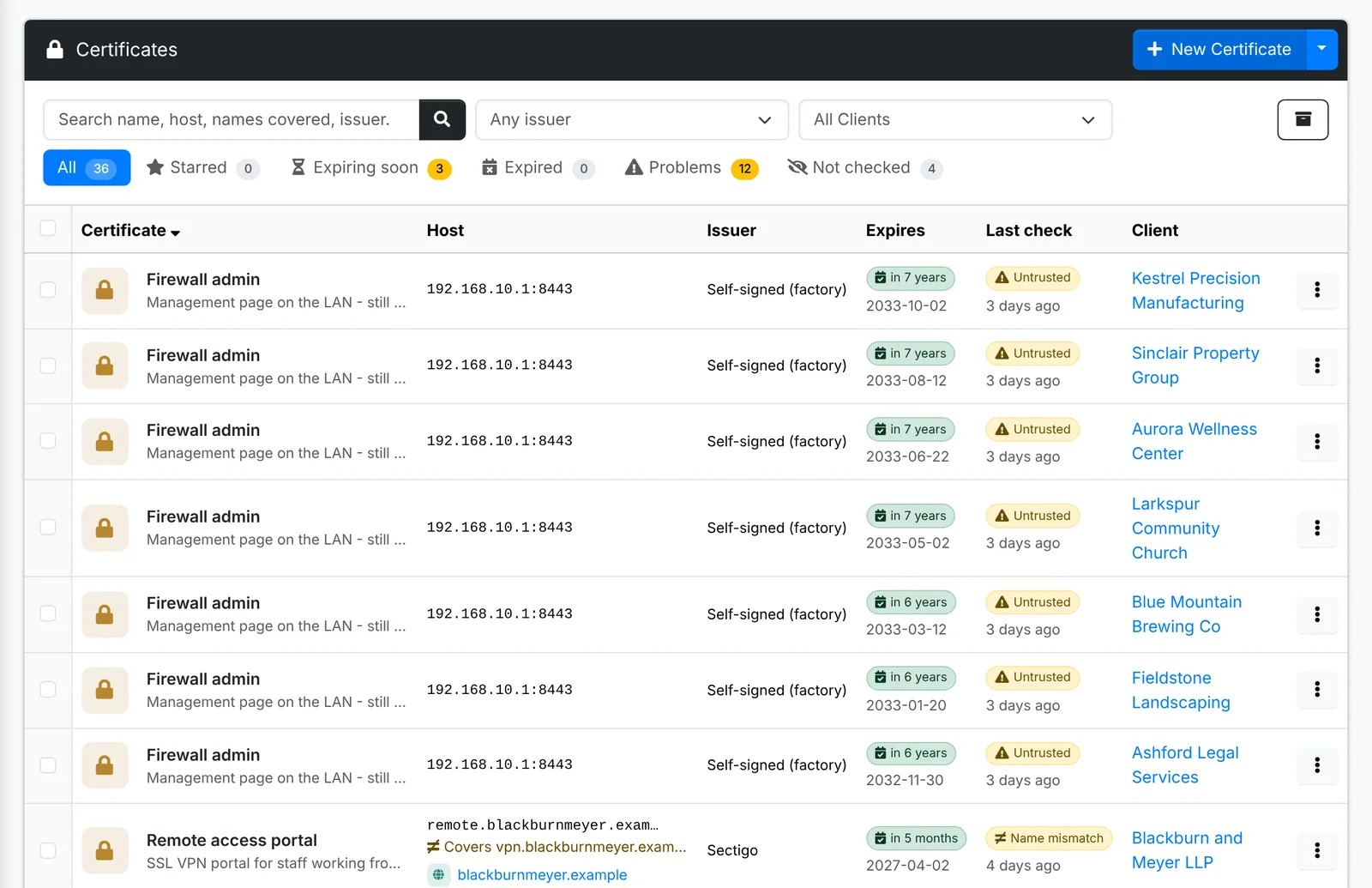
Each row shows the host it's served on, the issuer, when it expires and how the last check went. The tabs are Starred, Expiring soon, Expired, Problems and Not checked. Tick certificates and use Bulk Action > Check now to check several at once.
Add a certificate
- Open the client, go to Certificates and click New Certificate.
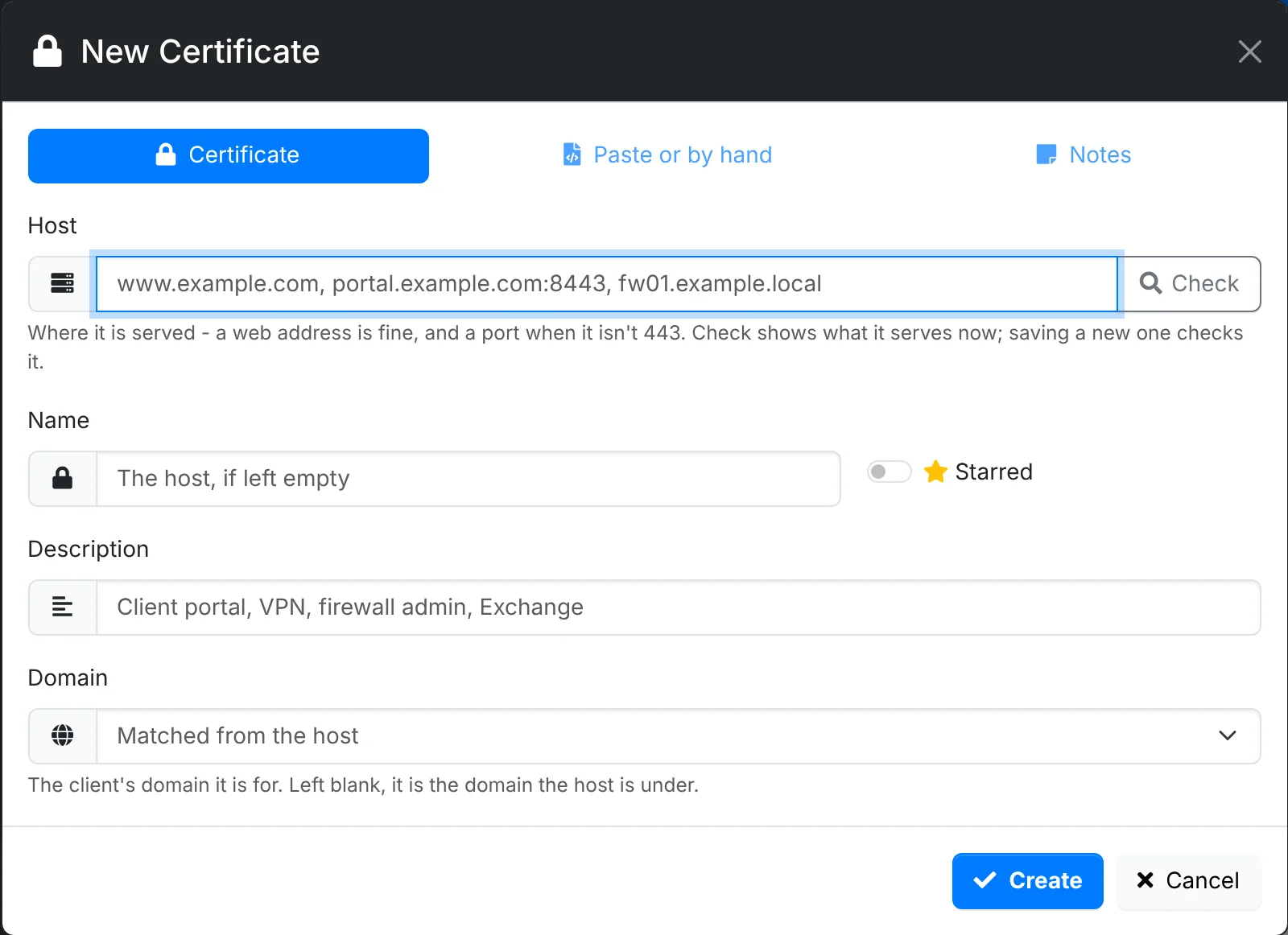
- On Certificate, type the Host - such as
remote.ravenwooddental.example- and click Check. ITFlow connects to it and fills in what it serves: the issuer, the dates and the names it covers. - If ITFlow can't reach the host - it's only on the client's own network - use Paste or by hand: paste the certificate (PEM), or type the Issuer and Expires date yourself.
- Link it to its Domain, and add notes.
- Click Create.
Checks
Check now (on the certificate's quick look, or in Bulk Action) connects to the host and records what it serves: the issuer, the dates, the names covered and the fingerprint. The result is one of:
| Result | Meaning |
|---|---|
| OK | A valid, trusted certificate that covers the host's name |
| Name mismatch | The certificate doesn't cover the name you check it at |
| Untrusted | Self-signed, or from an issuer browsers don't trust |
| Expired | Past its end date |
| Unreachable | ITFlow couldn't connect to the host |
Certificates are checked every day, and you get a notification when a good one goes bad. The client's overview has a Certificate problems box.
Short-lived certificates - valid for 100 days or less, such as Let's Encrypt - renew themselves. ITFlow only counts them as expiring soon inside 20 days, and skips the usual 45-day warning.