Logs
The audit log of who did what and when, the app logs of what ITFlow itself runs into, how long they're kept, and sending them to a syslog server or SIEM.
Audit logs
Admin > Audit Logs records who did what, when and from where: every change and deletion, every sign-in, every time someone looks at or copies a password, every share and every export.
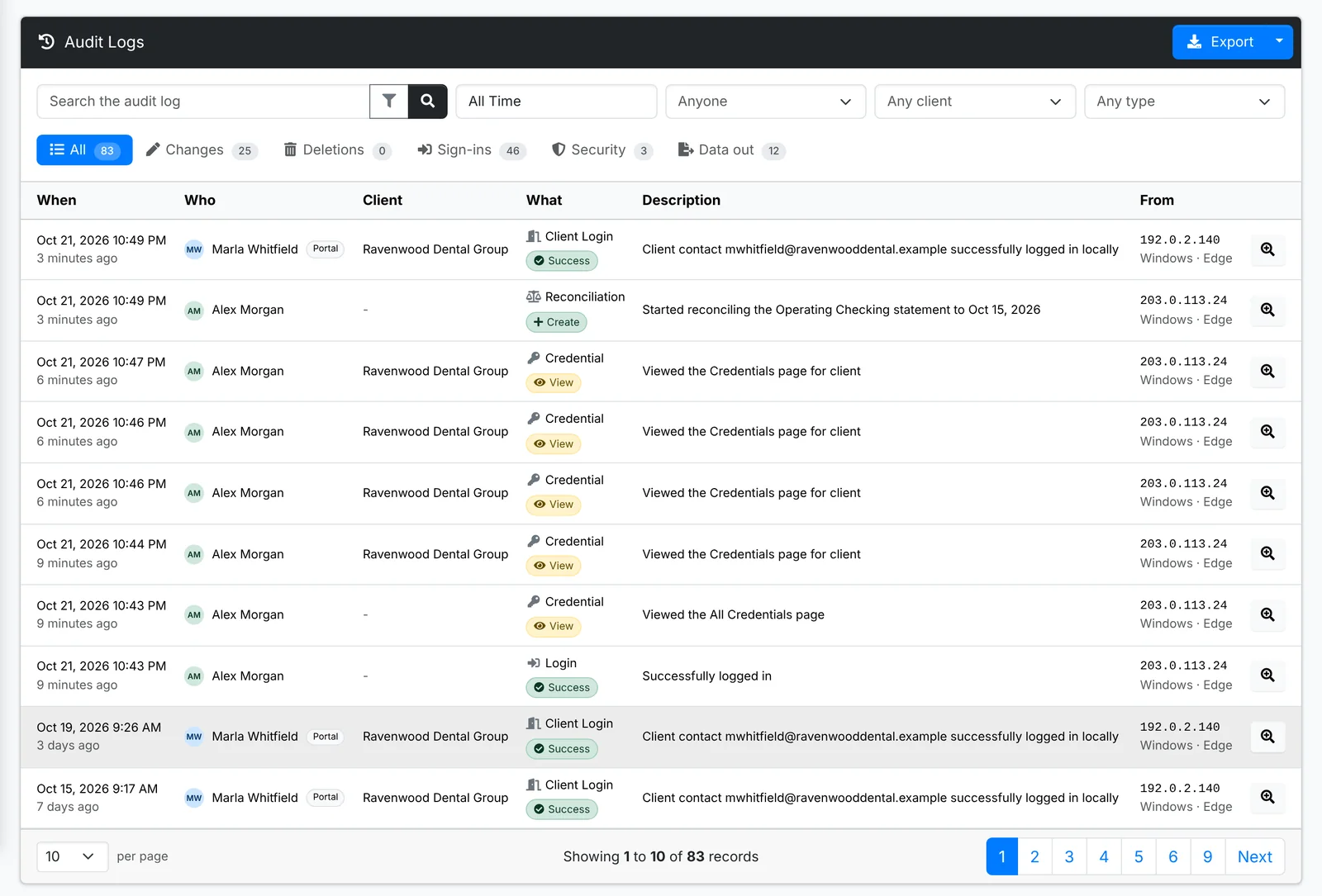
Each entry shows when, who (an agent, or a portal contact), the client, what kind of thing and action, a description, and the address and browser it came from. Click one for the whole entry, or the record it's about while that still exists.
Search it, filter it by date, person, client and type, or use the tabs: Changes, Deletions, Sign-ins, Security and Data out (exports and shares). Export saves what's shown, for an insurer or an investigation.
Activity report, in the Export menu, shows activity over time, out of hours, and by person, client and kind of record.
App logs
Admin > App Logs records what ITFlow itself does and runs into: cron runs, mail going out and coming in, payment providers, the API and errors - by level: Errors, Warnings and Info.
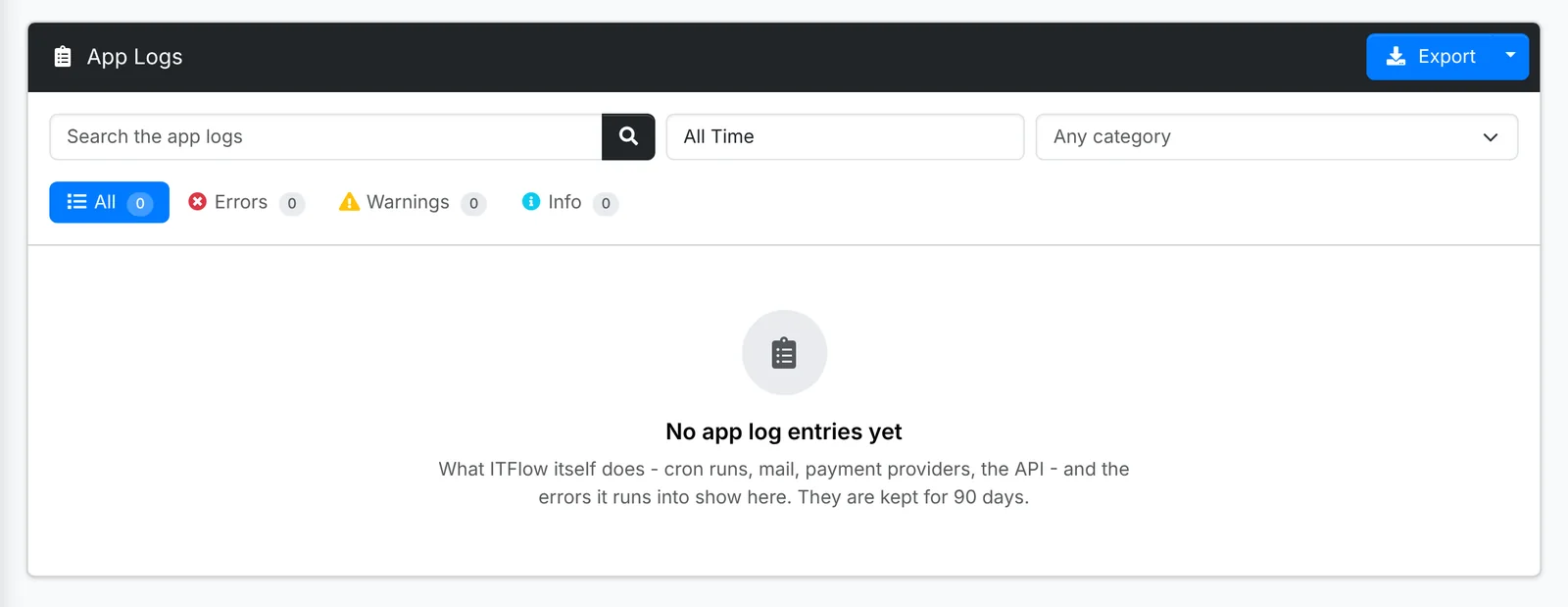
When something isn't working - email not sending, a payment provider refusing - look here first. Click an entry to see all of it, and what happened around then. App logs can be exported or cleared.
Keeping and forwarding logs
Admin > Settings > Logs sets how long each is kept - so many days, or forever - and can send every entry on to a syslog server or SIEM as it's written: Graylog, Splunk, Wazuh, Microsoft Sentinel and the like.
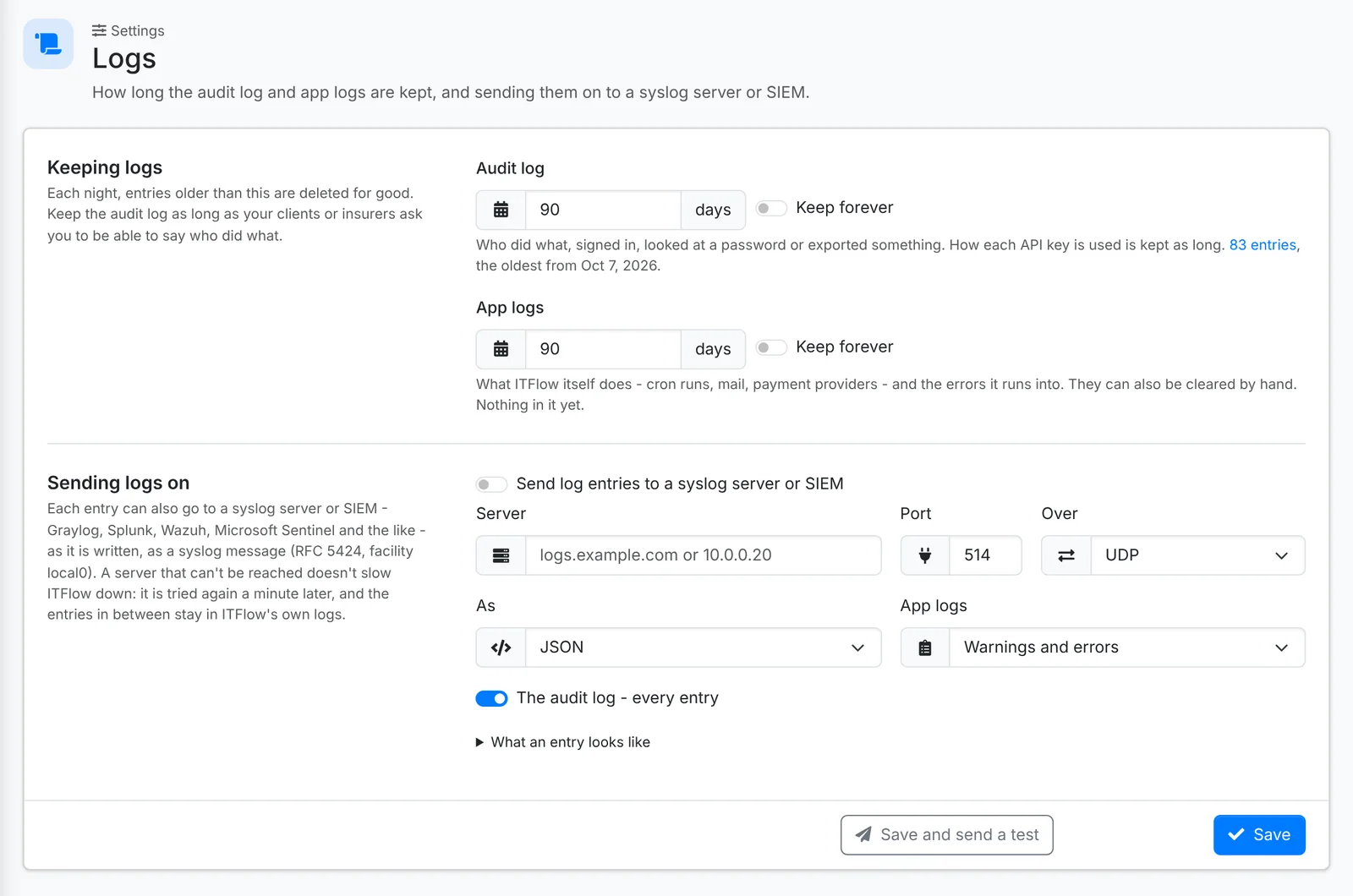
For forwarding, set the Server, Port, whether it goes Over UDP, TCP or TLS, and As JSON, CEF or plain text. Pick which app logs to send, and whether to send The audit log - every entry. Save and send a test checks it arrives. If the server can't be reached, ITFlow isn't slowed down: it tries again a minute later, and the entries in between stay in ITFlow's own logs.
Keep the audit log as long as your clients or your cyber insurer need you to be able to say who did what. Each entry is small; keeping it for a year or more is reasonable.