Reports
Profit and loss, receivables, recurring revenue, client profitability, ticket and SLA performance, renewals and more - for any period, printable and exportable.
Reports gathers every report you can open, in groups, with a line on what each shows. Type in Find a report to jump to one.
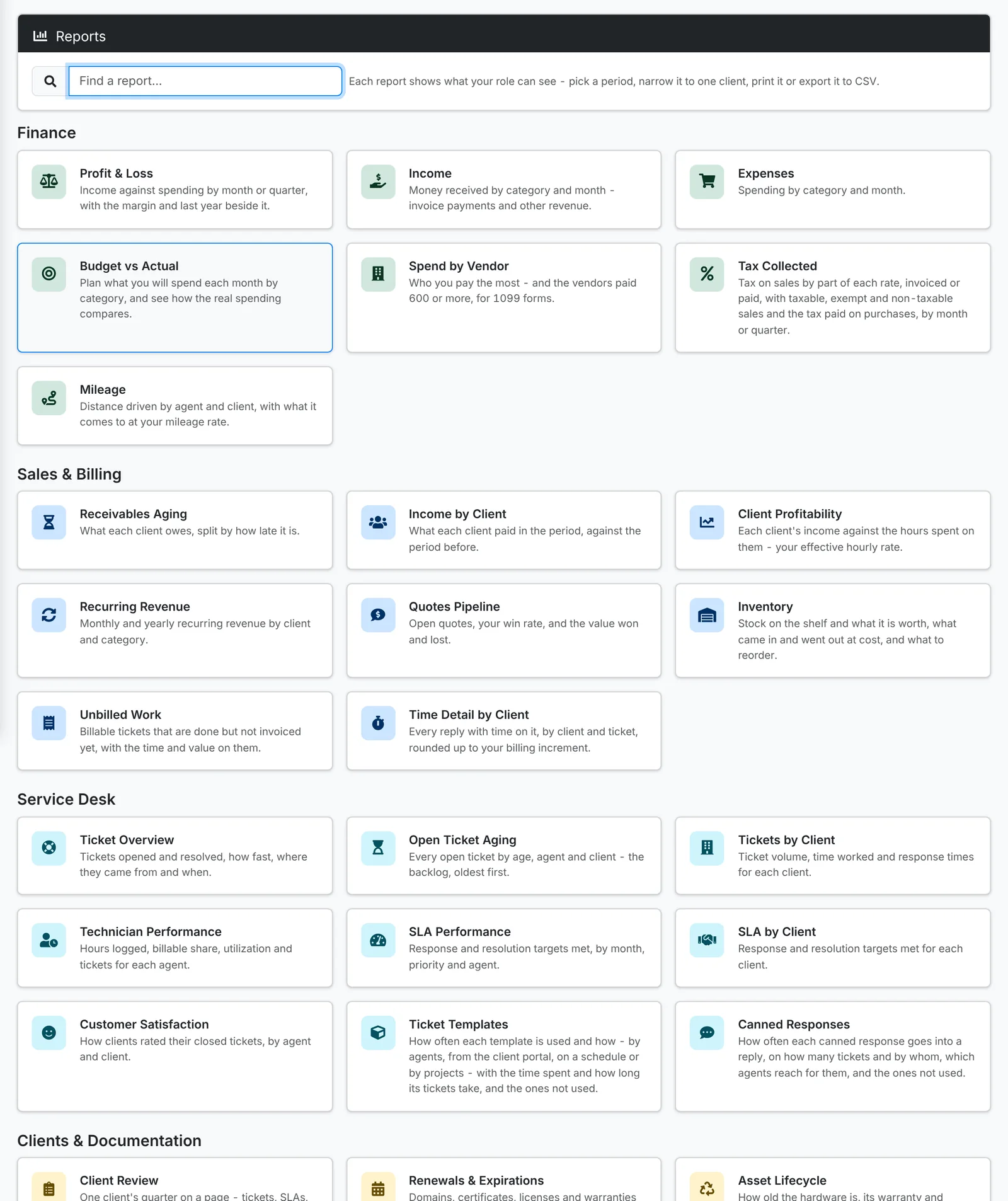
Every report works the same way: pick a period, narrow it to one client where that makes sense, then Print it or Export it to CSV. Each shows only what your role can see.
Finance
| Report | What it shows |
|---|---|
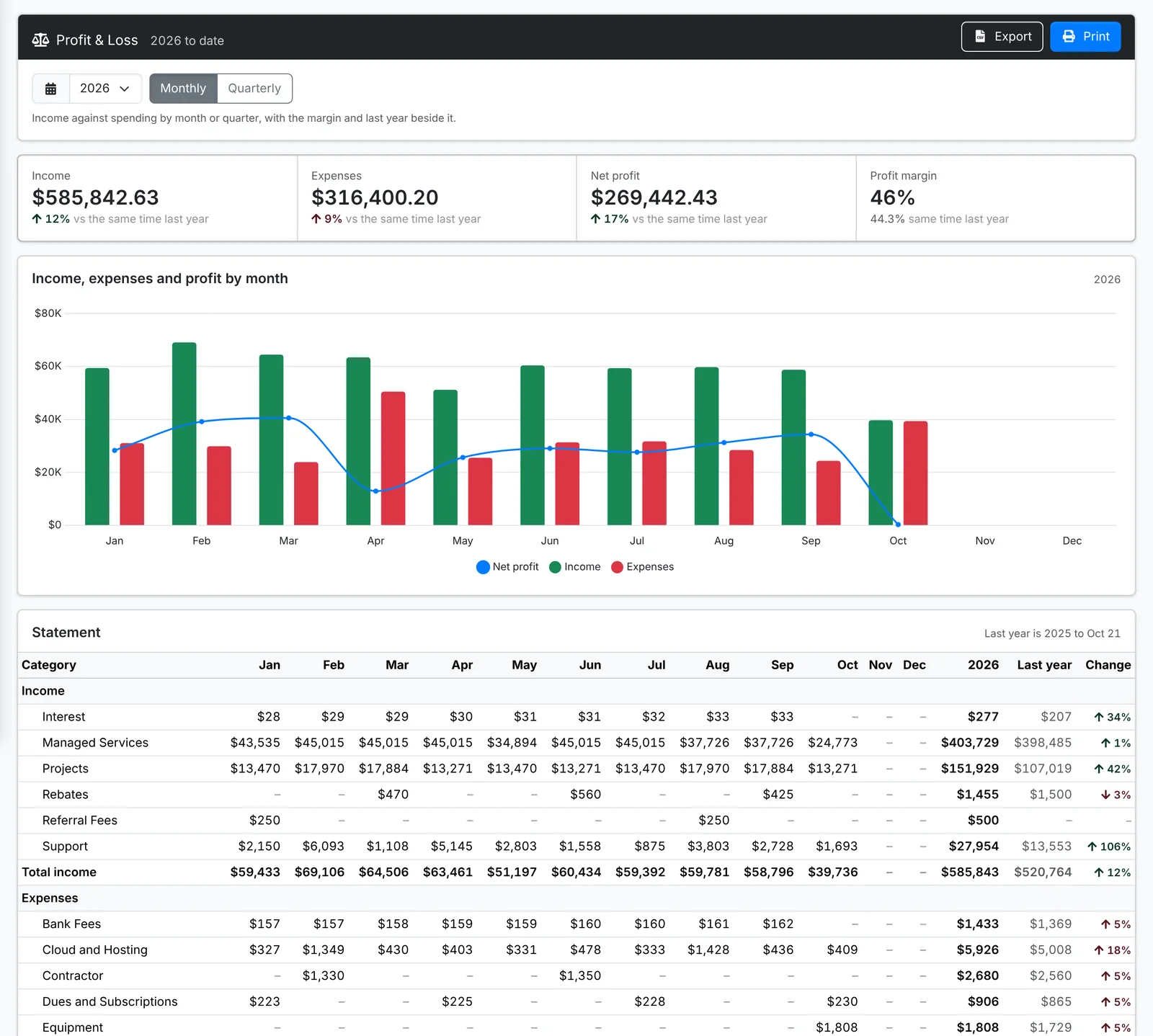
| Profit & Loss | Income against spending by month or quarter, with the margin and last year beside it |
| Income | Money received by category and month - invoice payments and other income |
| Expenses | Spending by category and month |
| Budget vs Actual | Plan what you'll spend each month by category, and see how the real spending compares |
| Spend by Vendor | Who you pay the most - and the vendors paid 600 or more, for 1099 forms |
| Tax Collected | Tax on sales by rate, invoiced or paid, with taxable, exempt and non-taxable sales and the tax paid on purchases |
| Mileage | Distance driven by agent and client, and what it comes to at your mileage rate |
Sales and billing
| Report | What it shows |
|---|---|
| Receivables Aging | What each client owes, split by how late it is |
| Income by Client | What each client paid in the period, against the period before |
| Client Profitability | Each client's income against the hours spent on them - your effective hourly rate |
| Recurring Revenue | Monthly and yearly recurring revenue by client and category |
| Quotes Pipeline | Open quotes, your win rate, and the value won and lost |
| Inventory | Stock on the shelf and what it's worth, what came in and went out, and what to reorder |
| Unbilled Work | Billable tickets that are done but not invoiced yet, with the time and value on them |
| Time Detail by Client | Every reply with time on it, by client and ticket, rounded to your billing increment |
Service desk
| Report | What it shows |
|---|---|
| Ticket Overview | Tickets opened and resolved, how fast, where they came from and when |
| Open Ticket Aging | Every open ticket by age, agent and client - the backlog, oldest first |
| Tickets by Client | Ticket volume, time worked and response times for each client |
| Technician Performance | Hours logged, billable share, utilization and tickets for each agent |
| SLA Performance | Response and resolution targets met, by month, priority and agent |
| SLA by Client | Response and resolution targets met for each client |
| Customer Satisfaction | How clients rated their closed tickets, by agent and client |
| Ticket Templates | How often each template is used, and the ones that aren't |
| Canned Responses | How often each canned response is used, by whom, and the ones that aren't |
Clients and documentation
| Report | What it shows |
|---|---|
| Client Review | One client's quarter on a page - tickets, SLAs, assets, renewals and what to do next. Made to print for a business review. |
| Renewals & Expirations | Domains, certificates, licenses and warranties coming up for renewal, or already lapsed |
| Asset Lifecycle | How old the hardware is, its warranty and operating system support, and what's due for replacement |
| Documentation Coverage | What's documented for each client, and what's missing |
| Document Templates, License Templates, Vendor Templates | How much each template is used, and which clients that should have one don't |
| Credential Rotation | Passwords that haven't changed in a while, oldest first |
Activity
Audit Activity shows what was done in ITFlow - changes, deletions, passwords looked at, exports and sign-ins - over time, out of hours, and by person, client and kind of record.
Client Review is also on each client's ⋮ menu. Print it before a quarterly business review to walk the client through their quarter.