Roles and permissions
What each role lets its agents see and change - clients, support, credentials, sales, financial, reports and AI - and making your own roles.
Every user has a role, and the role decides what they can open. ITFlow comes with three - Administrator, Technician and Accountant - and you can change them or make your own.
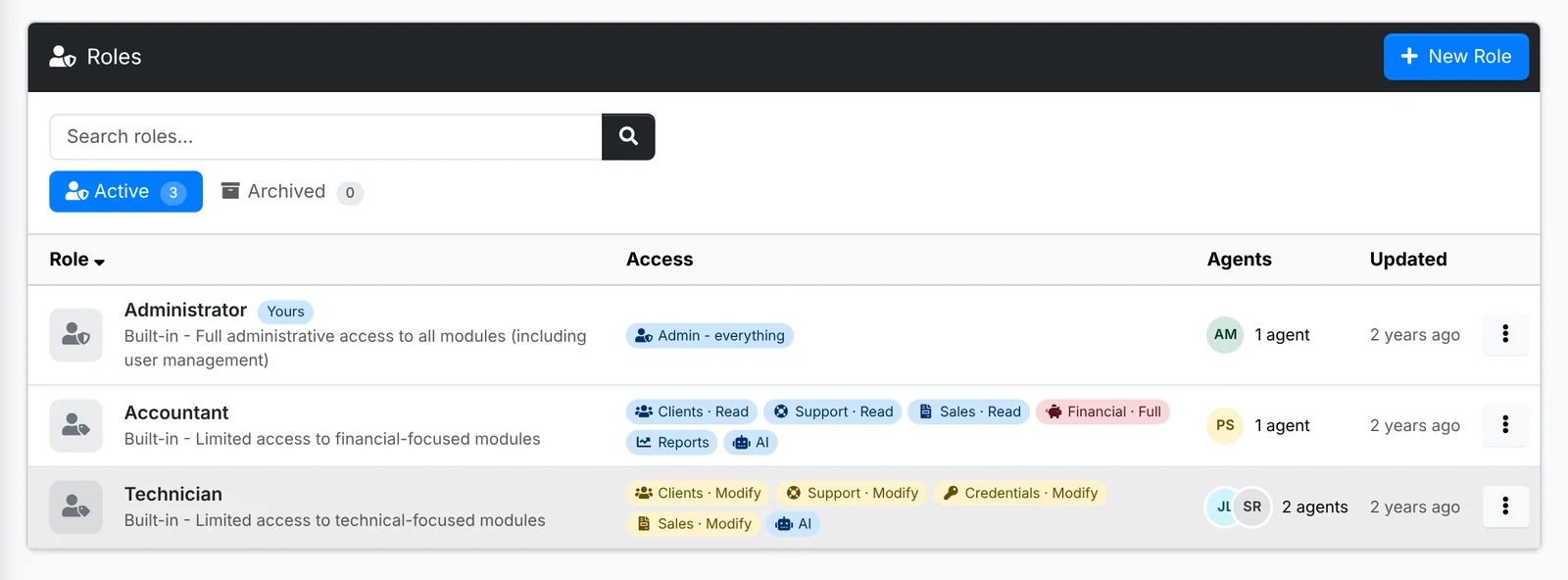
Each role shows its access at a glance and the agents who have it - click them to see them in Users.
What a role can open
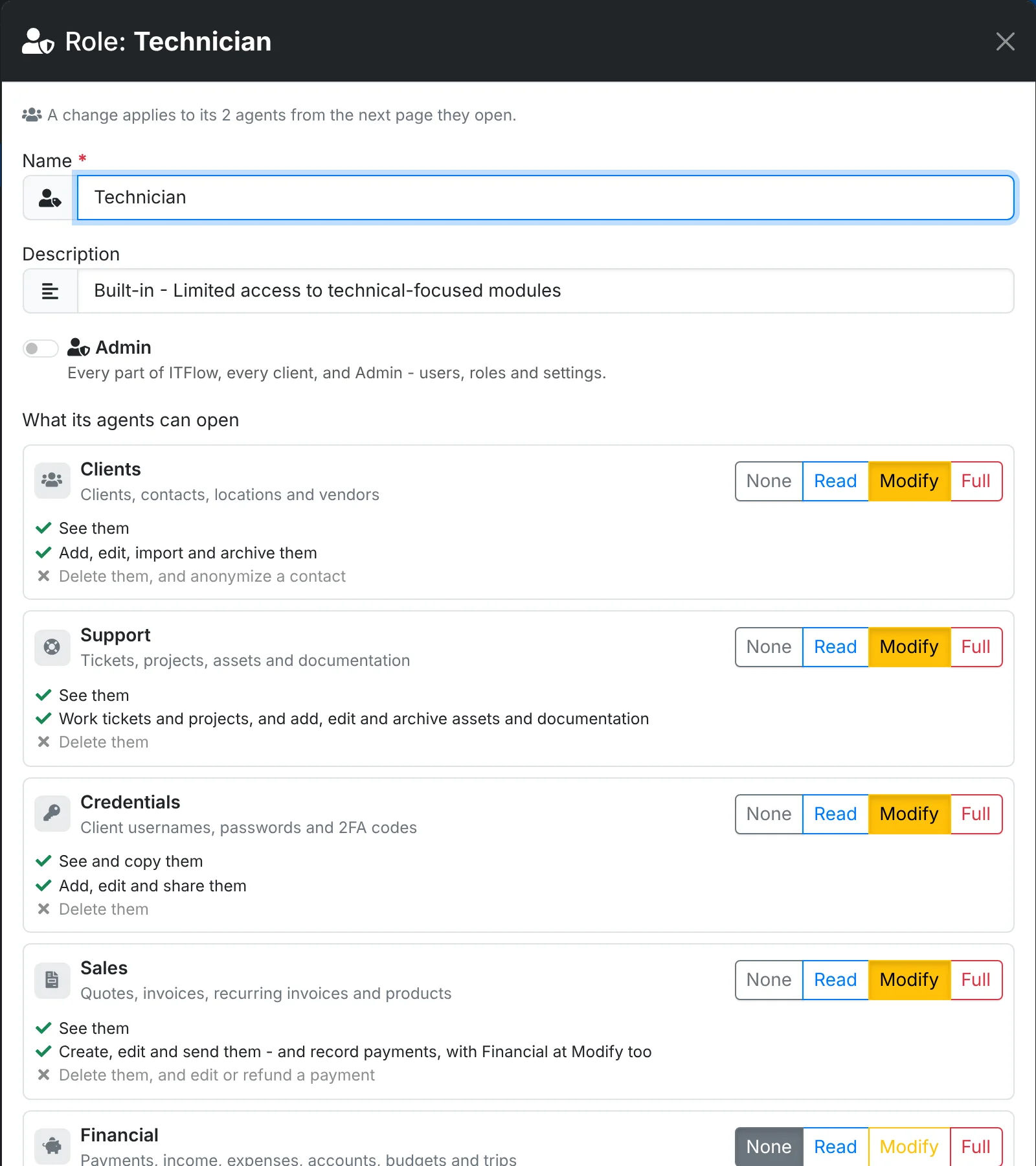
Open a role with Edit. An Admin role opens everything: every part of ITFlow, every client, and Admin with users, roles and settings. Any other role has a level for each part:
| Part | Covers |
|---|---|
| Clients | Clients, contacts, locations and vendors |
| Support | Tickets, projects, assets and documentation |
| Credentials | Client usernames, passwords and 2FA codes |
| Sales | Quotes, invoices, recurring invoices and products |
| Financial | Payments, income, expenses, accounts, budgets and trips |
| Reports | The reports - each needs access to what it reports on too |
| AI | Rewording, summaries and drafts - see Using AI |
The levels are None, Read (see them), Modify (add and change them) and Full (delete them too). Under each part, the window spells out exactly what the level picked allows - "See and copy them", "Add, edit and share them" - so there's no guessing.
A change applies to the role's agents from the next page they open.
Make a role
Click New Role, or Copy an existing role from its menu to start from it - a "Senior Technician" from Technician with Full on Support, say. Give it a name and a description, and set the levels.
A role can be archived when nobody should get it any more - agents who have it keep it - and deleted once nobody has it.
Keep Credentials to the people who need it. Agents without it can still work tickets and documentation, but can't see or copy client passwords. Every time someone looks at a password, it's in the audit log.