Unbilled time
Everything you've done for clients that hasn't been billed yet - ticket time, expenses and trips - and turning it into invoices in a few clicks.
Unbilled Time gathers the work you haven't billed yet, client by client:
- tickets - billable tickets that are resolved or closed and aren't on an invoice, with the time logged on them
- expenses - billable expenses you paid on a client's behalf, at their cost plus markup
- trips - billable trips to the client, at your trip charge
From here you turn it into draft invoices - for one client, or for every client at the end of the month.
Every client at once
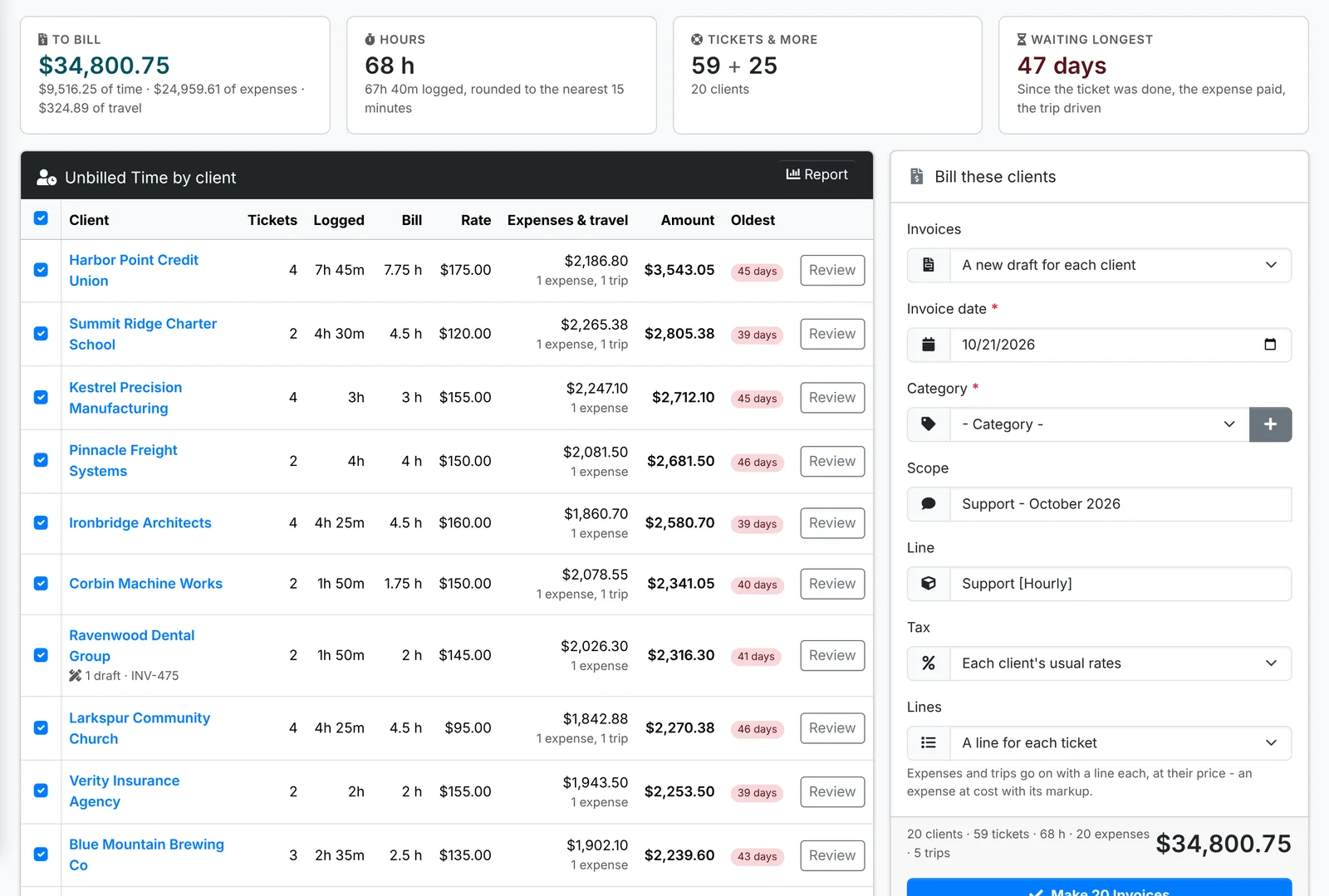
Along the top: the total To bill, the Hours (logged, and rounded the way your admin set), how many tickets and other items, and what's been Waiting longest.
The list shows each client's tickets, the time Logged, the hours to Bill, their Rate, their Expenses & travel, the Amount and how old the oldest item is. A client with a draft invoice says so under its name.
To bill them all:
- Untick any client you don't want to bill now.
- Under Bill these clients, pick Invoices: A new draft for each client, or Each client's newest draft, or a new one.
- Set the Invoice date and Category, and the Scope - such as "Support - October 2026".
- Line is the name of the time lines, such as "Support [Hourly]". Tax is Each client's usual rates unless you pick one.
- Under Lines, pick A line for each ticket, or One line for all of them.
- Click Make Invoices.
Expenses and trips go on with a line each, at their price. Each client's time is billed at their own hourly rate.
One client
Click Review on a client, or open Unbilled Time from the client's own menu, to see everything item by item.
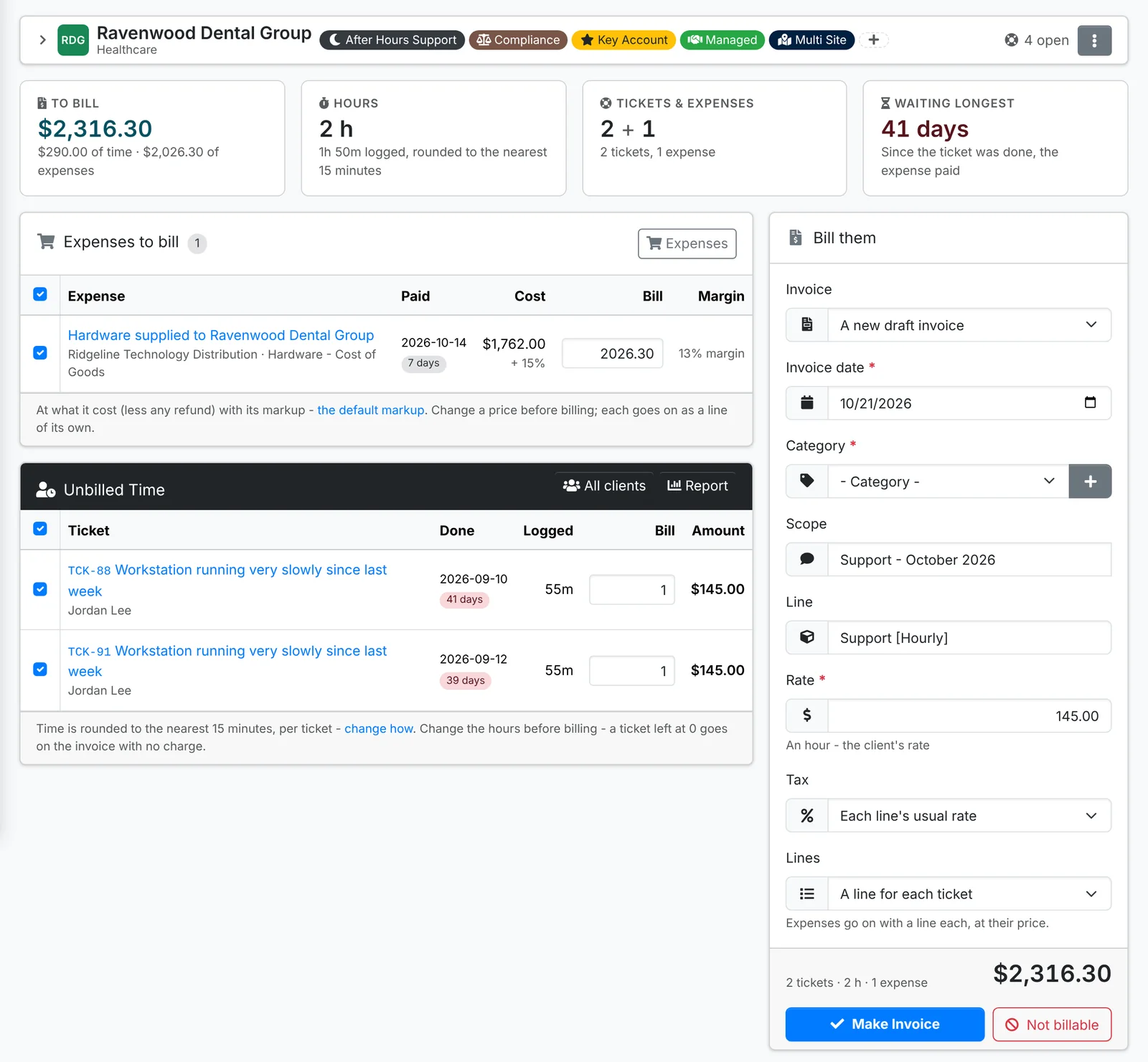
- Expenses to bill shows what each cost, its markup and the price to Bill. Change a price before billing.
- Unbilled Time lists each ticket, when it was done, the time Logged and the hours to Bill. Change the hours if you need to - a ticket left at 0 goes on the invoice with no charge.
- Trips to bill are listed the same way.
Untick anything to leave it for later. Then, under Bill them:
- Pick the Invoice: A new draft invoice, or one of the client's drafts to add it to.
- Set the Invoice date, Category and Scope, the Line name, the Rate (the client's hourly rate to start with) and the Tax.
- Pick Lines: one for each ticket, or one for all.
- Click Make Invoice.
The draft invoice opens. Check it and send it. The tickets, expenses and trips on it stop being unbilled.
Work you won't bill
Tick the tickets that shouldn't be billed - a warranty fix, a goodwill visit - and click Not billable. They stop being billable and leave the list.
Want time on a ticket that's still open? Unbilled Time only lists tickets once they're resolved or closed, so the bill reflects finished work. To bill an open ticket now, use ⋮ > Create invoice on the ticket.
How the hours are worked out
Each ticket's billed hours start as the time logged on it, rounded the way your admin set in Admin > Settings > Invoices and billing: to the nearest 15 minutes, say, or always up, and with the least a ticket bills, such as half an hour. The page says how it's rounding, with a link to change it.
A ticket with no time logged goes on with no charge unless you type the hours. A client with no hourly rate of its own uses your default rate from Admin > Settings > Defaults.
Report opens the Unbilled Work report: what invoicing it all would come to, per client and then ticket by ticket, longest waiting first.