Payment providers
Let clients pay invoices by card - connect Stripe, choose where the money goes, record its fees, and manage saved cards and autopay.
A payment provider lets clients pay invoices by card - from the link in an invoice email or in the client portal - and lets them save a card for autopay. ITFlow works with Stripe.
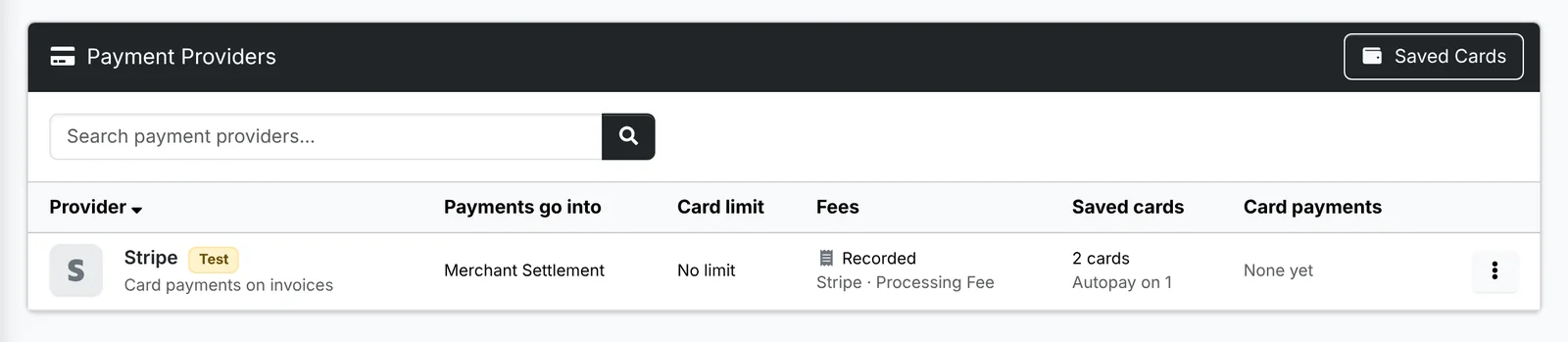
The list shows each provider: whether it's on, Live or Test (as its keys say), the account its Payments go into, its Card limit, whether its Fees are recorded, its Saved cards and how many pay by autopay, and its Card payments in the last 30 days.
Connect Stripe
- Click Add Provider.
- Switch it on - clients can pay invoices by card.
- Paste the Publishable key and Secret key from Stripe's Developers > API keys. Use both test keys while you try it out, then both live keys. A restricted key works too, with the access the window lists.
- Pick the account Payments go into. An account of its own, named for it - "Stripe" or "Merchant Settlement" - makes its payouts to your bank easy to match. See Accounts.
- Set a Card limit if you like: an invoice of that much or more can't be paid by card.
- Switch on Record its fees as expenses to have its fee on each card payment recorded as an expense each night, paid to the vendor and under the category you pick - Stripe, and Processing Fee, say.
- Save it. Check connection in its menu makes sure the keys work, and Record fees now records the fees without waiting for the night.
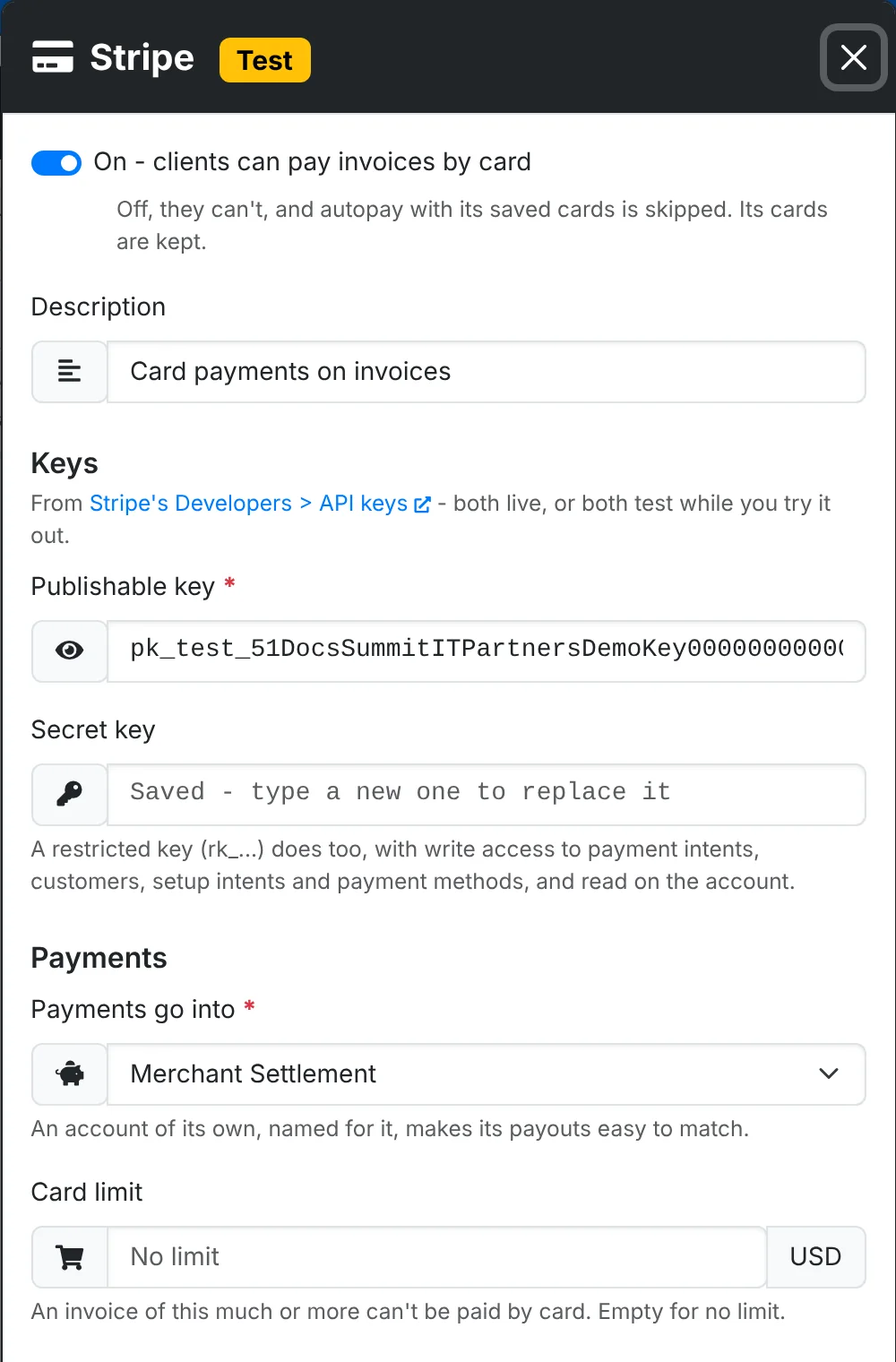
While the keys are test keys, ITFlow says so at the top of Settings - no real money moves.
What it does
- Invoices get a Pay Now button, on their link and in the portal. Clients in the portal can pay several invoices in one card payment.
- Payments are recorded on the invoices straight away, with a receipt to the client and an email to whoever you set in Invoices and billing.
- Clients can save cards in the portal, and turn on autopay for their recurring invoices.
- Your team can Charge Saved Card on an invoice.
See Taking payments for how it looks to your team and clients.
Saved cards
Saved Cards lists every card clients have saved, with the client, the card and which recurring invoices it pays by autopay. Switching the provider off stops card payments and skips autopay, but keeps the cards.
Card details never reach ITFlow. Clients type them on Stripe's own page; ITFlow keeps only Stripe's reference to the card and a description such as "Visa ending 4242".