Accounts and transfers
Where your money sits - bank accounts, credit cards, cash and your payment processor - with every transaction on each, and moving money between them.
Accounts are where your money is: your checking and savings accounts, the company credit card, petty cash, and your payment processor, where card payments wait to be paid out to the bank. Every payment, expense and transfer goes into or out of one, so each account's balance follows the real one.
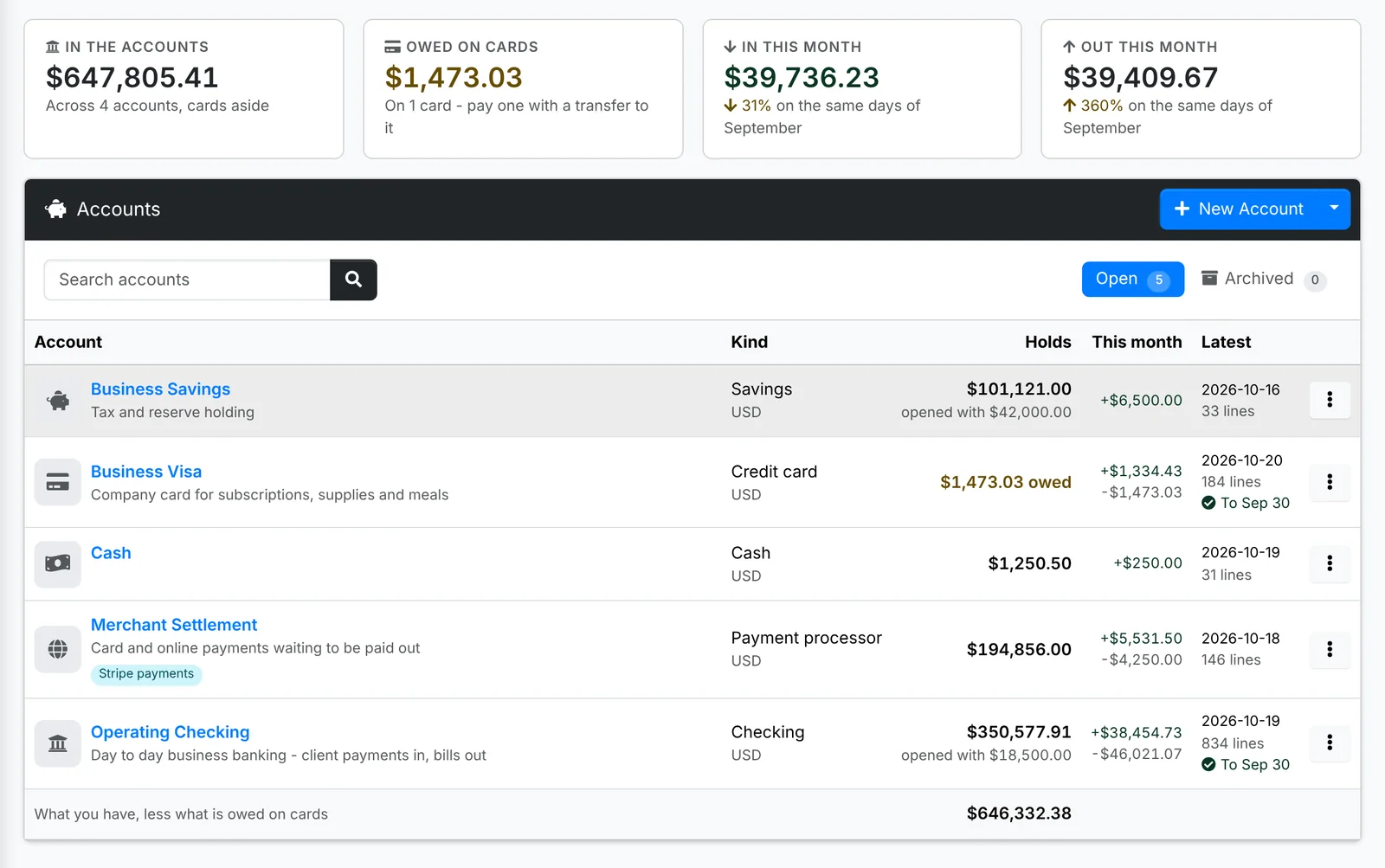
Along the top: what's In the accounts (cards aside), what's Owed on cards, and what came In and went Out this month - money moved between your own accounts left out.
Each account shows its Kind, what it Holds (what's owed, for a card), this month in and out, its Latest line, and how far it's been reconciled. Click one to open its transactions. Its ⋮ menu has Transactions, Income into it, Expenses from it, Reconcile, Edit, Transfer from it and, for a card, Pay the Card.
Add an account
- Click New Account.
- Give it a Name - "Operating Checking", "Business Visa", "Stripe".
- Pick its Kind: Checking, Savings, Credit card, Cash, Payment processor or Other, and its Currency.
- Type the Opening balance - what it held (or, for a card, owed) on the day you start using ITFlow for it.
- Say What it is for and add Notes - the bank, the last four digits, who can sign.
- Click Create.
Archive an account you've closed, once it's empty, from its ⋮ menu. It's kept on the Archived tab, with its history.
Transactions
An account's Transactions is its ledger: every payment, other income, expense, transfer and reimbursement on it, in date order, with the balance after each.
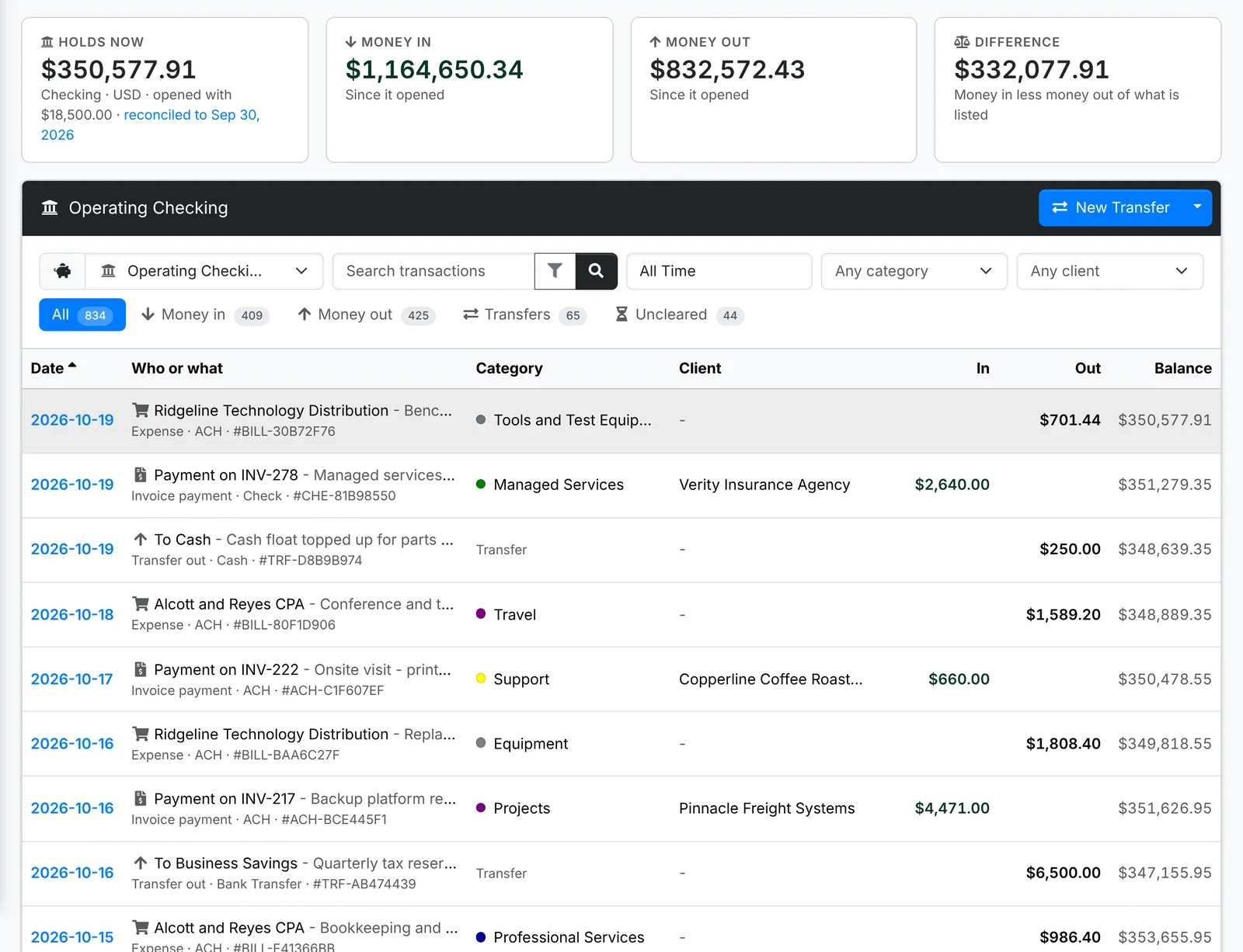
Along the top: what it Holds now, and the money in, out and the difference for the dates you pick. The tabs are All, Money in, Money out, Transfers and Uncleared - lines not on a reconciled statement yet. A line that's cleared has a tick by its date.
Pick another account at the top, or every account at once. Narrow by date, category or client; More filters narrows by kind, how it was paid and the amount. Click a line for its quick look.
Move money between accounts
A transfer moves money from one of your accounts to another: paying off the card, putting the quarter's tax aside in savings, a payout from your payment processor to the bank.
- Click New Transfer - on Transactions, or in the menu beside New Account.
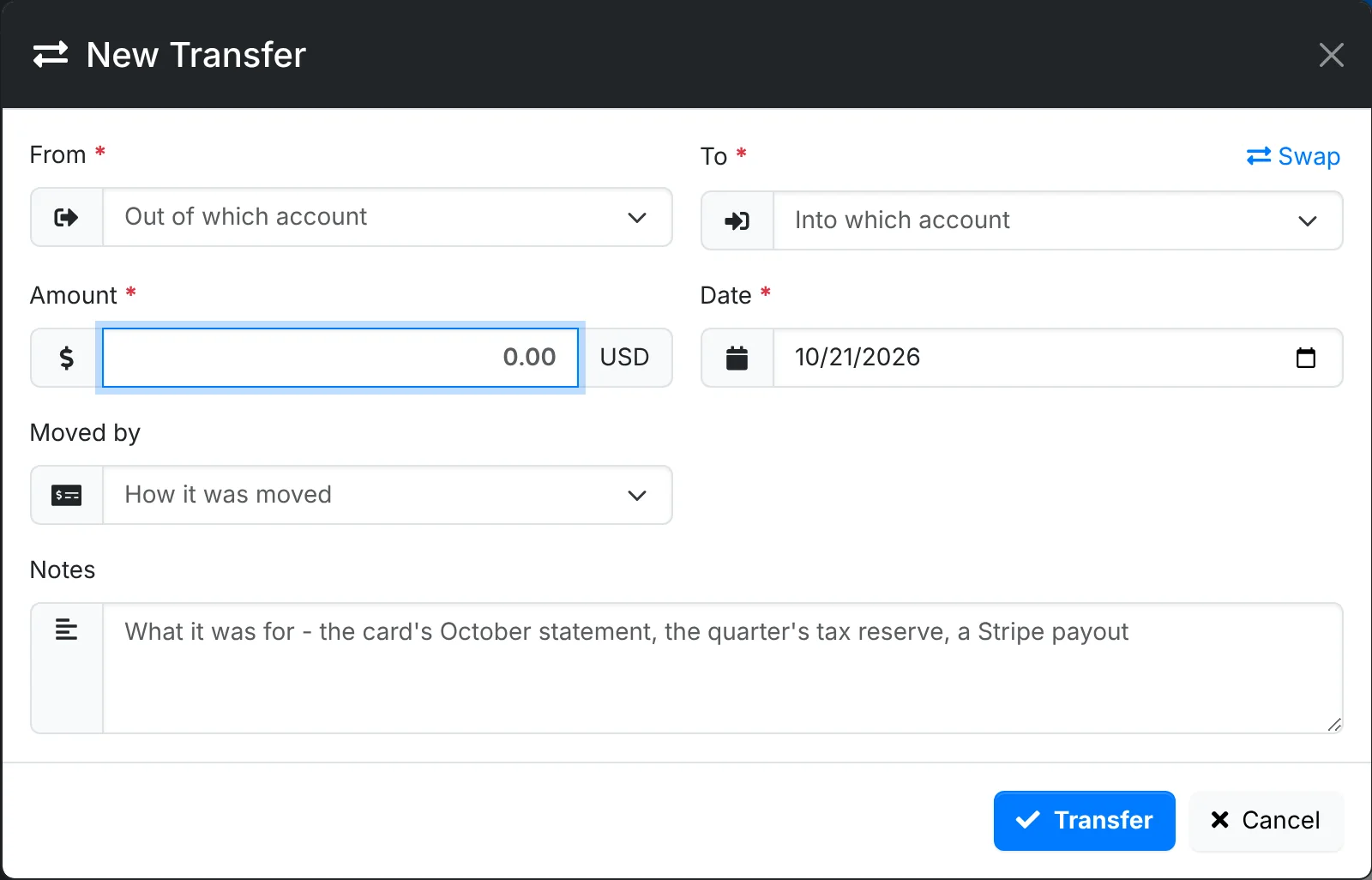
- Pick the account it came From and the one it went To. Swap turns them round.
- Type the Amount and Date, and how it was Moved by.
- Add Notes - what it was for - and click Transfer.
- Paying the card: transfer from the bank to the card account, or use Pay the Card in the card's menu. What's owed on the card goes down.
- Banking checks and cash: transfer from your cash account to the bank, and tick the checks and cash in the deposit under In this deposit. The amount and notes fill in, and they won't be offered again.
A transfer isn't income or spending, so it's left out of your income, expenses and reports.