Recurring invoices
Bill managed services, licenses and hosting automatically every month, quarter or year - per user, per device or per license seat, counted fresh each time.
A recurring invoice is a client's agreement: the lines you bill them again and again. ITFlow makes the invoice for you on the day - monthly, quarterly or yearly - and emails it, or leaves it as a draft for you to check first. Per-user and per-device lines count the client's users and devices each time, so the bill keeps up with the client.
The recurring invoices list
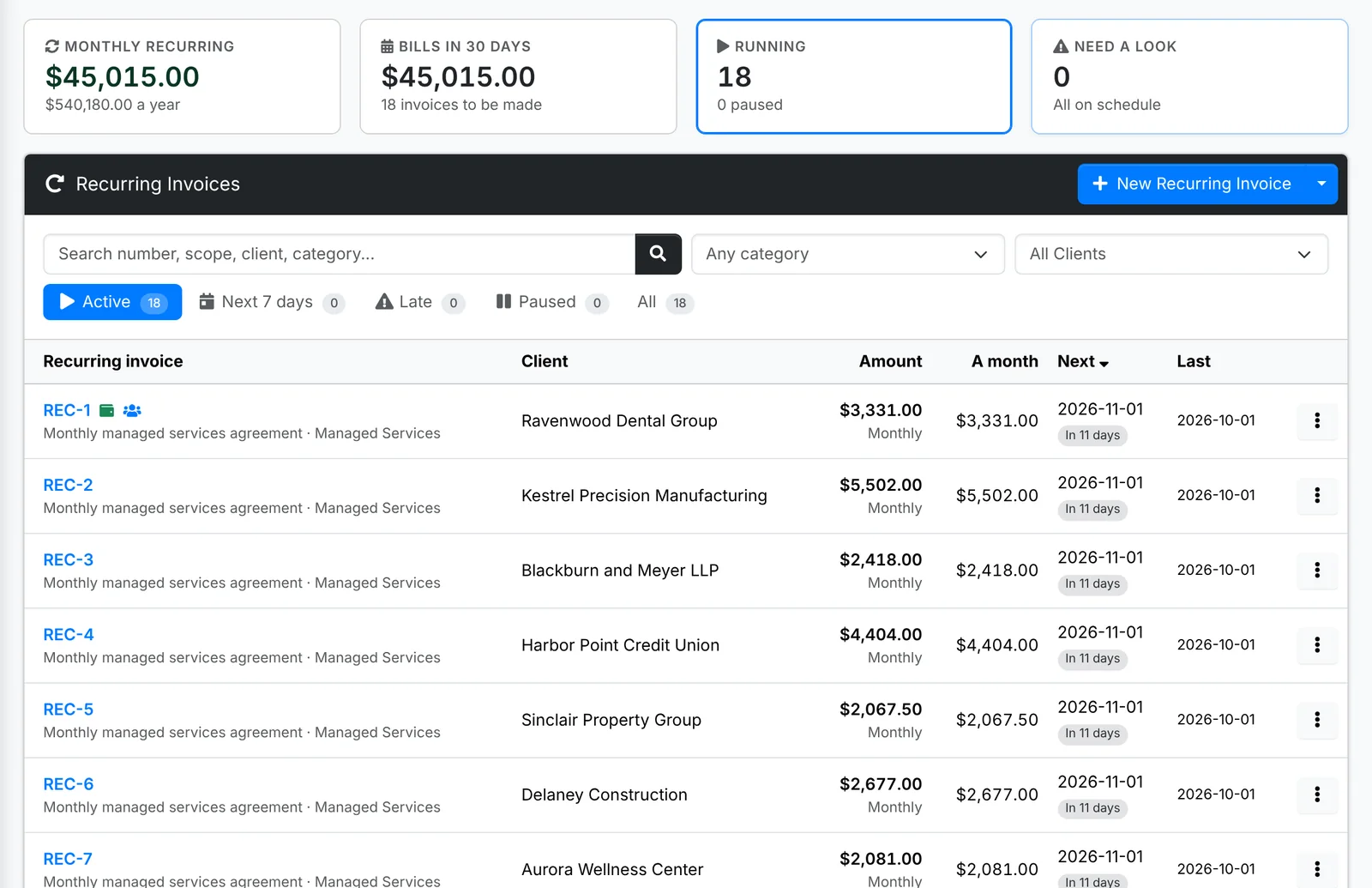
Along the top: your Monthly recurring revenue (quarterly ones count as a third, yearly as a twelfth), what Bills in 30 days, how many are Running, and how many Need a look.
The tabs are Active, Next 7 days, Late, Paused and All. Each row shows the amount, what that is A month, and the Next and Last invoice dates.
Set one up
There are three ways to start one:
- accept a quote with monthly, quarterly or yearly lines, and click Start Billing
- on an invoice you've already made, use ⋮ > Make Recurring to bill the same lines again and again
- from scratch, as below
- Go to Billing > Recurring Invoices (or the client's) and click New Recurring Invoice.
- Type the Scope. Put
{month},{quarter},{year}or{period}in it and each invoice says the period it covers: "Managed services - {month}" reads "Managed services - November 2026". - Pick a Category, how often it's Billed - Monthly, Quarterly or Yearly - and the date of the First invoice.
- Add a Discount if there is one.
- Under When it is made, pick Send it automatically or Leave a draft to check.
- Click Create, then add its lines.
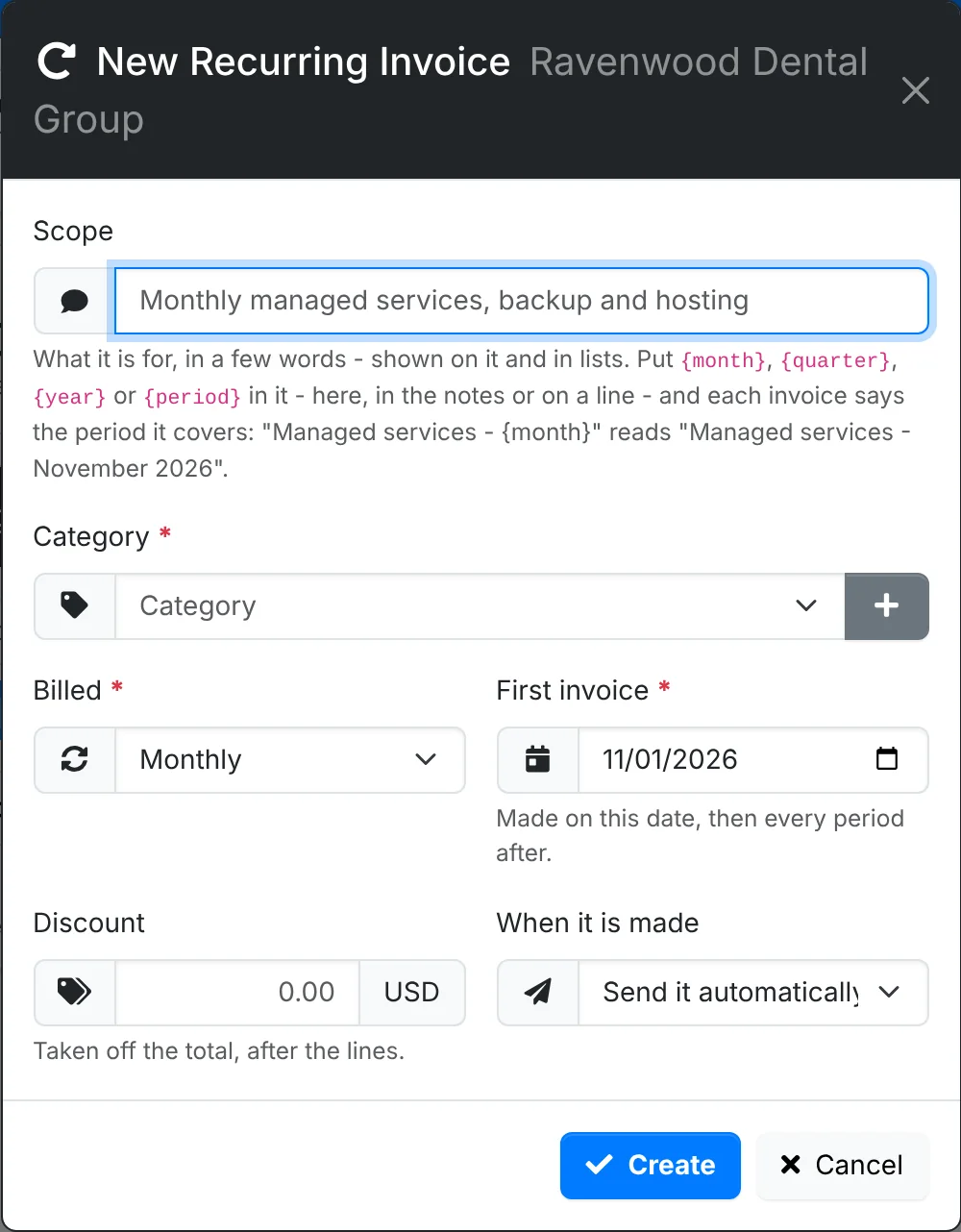
The placeholders work in the notes and on lines too - a line described as "Support for {month}" changes every month.
The recurring invoice's page
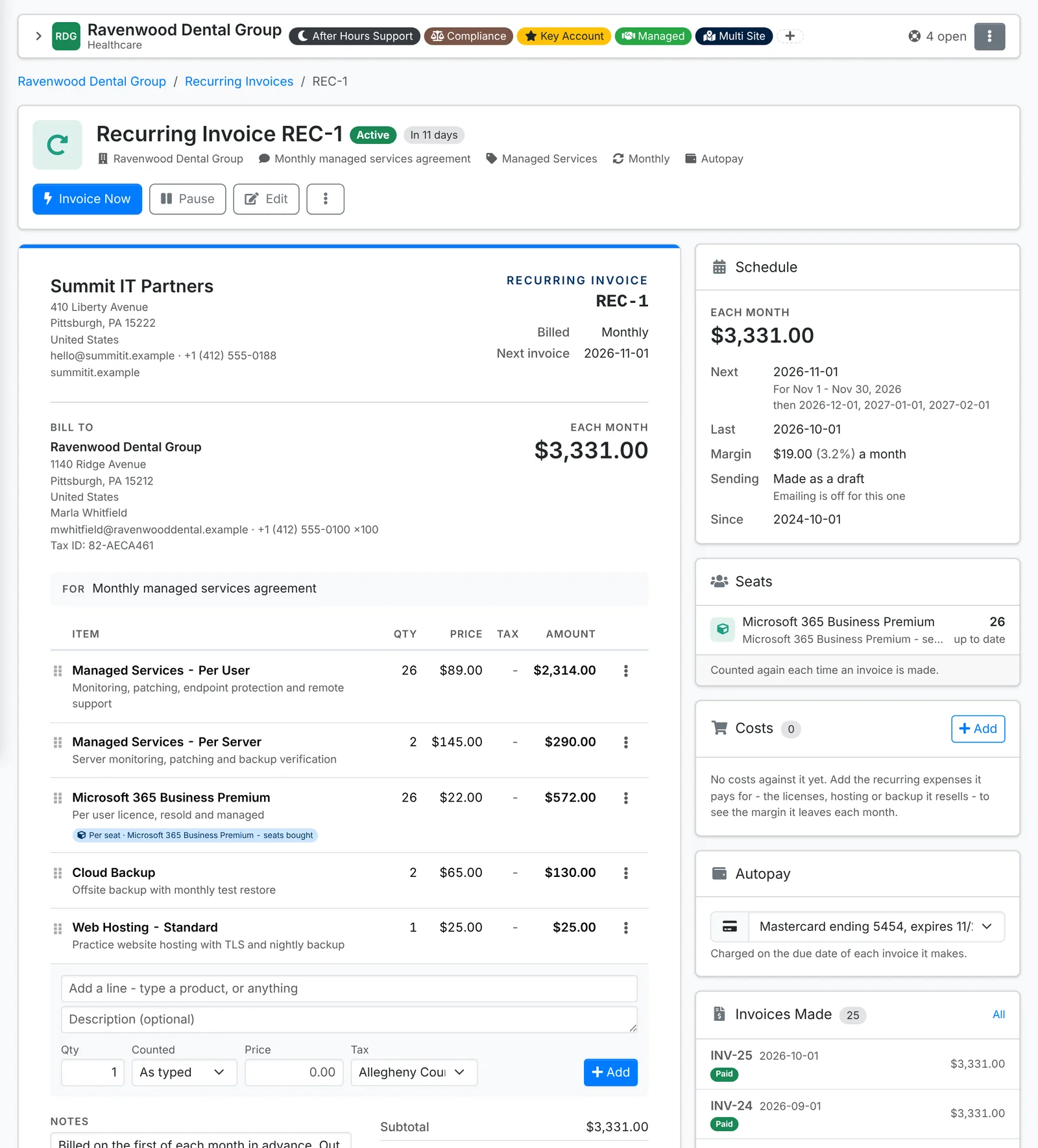
On the left are the lines, as each invoice will have them. Down the right:
- Schedule - what it bills each period, the Next invoice and the period it covers, the Last, your Margin, and how it's sent.
- Seats - lines counted from the client's users, devices or licenses, with what they count now.
- Costs - the recurring expenses it pays for, such as the licenses, hosting or backup it resells. Add one to see the margin it leaves each month.
- Autopay - a saved card to charge on each invoice's due date.
- Invoices Made - every invoice it has made, and whether each is paid.
Along the top:
- Invoice Now makes the next invoice straight away, dated today, and moves the next one on a period.
- Pause stops it making invoices until you Resume it.
- Edit changes the scope, category, how often it bills, the Next invoice date, the discount and how it's sent.
- ⋮ has Print, Invoices Made, Email the invoices (or Don't email the invoices) and Delete. Deleting it leaves the invoices it made.
Bill per user, per device or per seat
A line's quantity can be counted from the client each time an invoice is made, instead of typed in. Click a line's ⋮ > Edit and set Quantity from:
| Quantity from | Counts |
|---|---|
| Typed in | the same every time |
| Users | the client's contacts - all of them, or only those with a tag such as "Licensed user" |
| Devices | the client's assets - every device, or only some types: Desktop and Laptop for a per-workstation line, Server and Virtual Machine for per-server |
| License seats | one of the client's licenses - the Seats bought or the Seats in use |
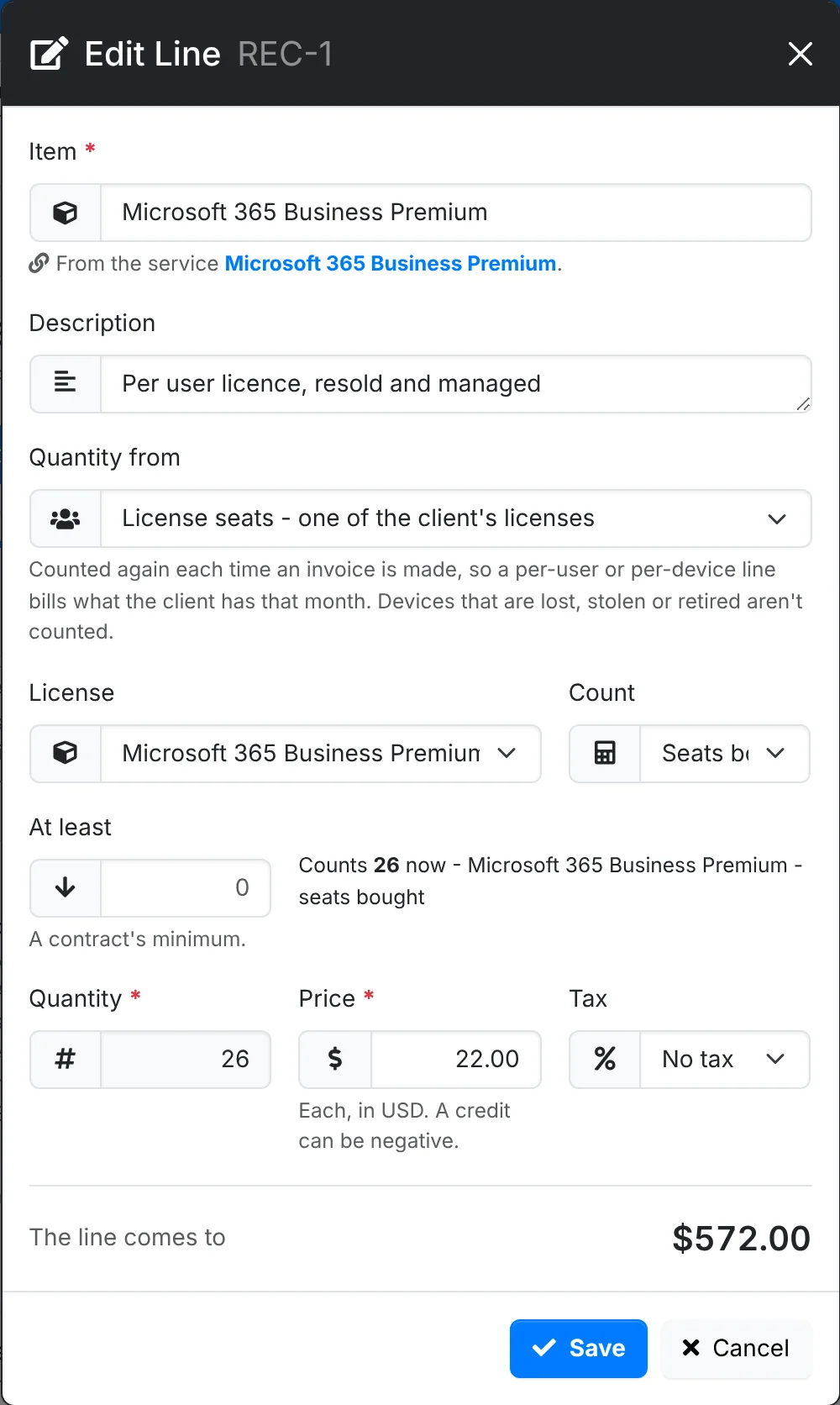
Devices that are lost, stolen or retired aren't counted. At least sets a contract's minimum, so the line never bills fewer. The window shows what it counts now.
Products set up as Per user or Per device in the catalog start counted that way when you add them.
Keep the client's contacts, assets and licenses up to date and their bill follows: a new starter added in ITFlow is on next month's invoice, and a retired laptop drops off it.
Autopay
When the client has saved a card in the client portal, the Autopay card can charge it on the due date of each invoice this makes. Pick the card - it's saved as you pick it - or Off for the client to pay each invoice themselves. Invoices autopay will charge aren't sent payment reminders before their due date.
When the invoices are made
ITFlow's nightly job makes each invoice on its day, dated that day:
- per-user, per-device and per-seat lines are counted again
- placeholders such as
{month}are filled in for the period - it's emailed to the client's primary and billing contacts, if it's set to Send it automatically and emailing is on - otherwise it's left as a draft in Invoices, ready for you to check and send
If a run is missed - the server was off, say - the job catches up on runs up to a week old. A recurring invoice whose next date has passed further back than that is listed under Late, and won't bill until you use Invoice Now or Edit its Next invoice date.
Your admin can turn off emailing recurring invoices for everyone in Admin > Settings > Notifications - then they're all made as drafts.