Income
All the money that comes in - payments on invoices, and other income such as interest, rebates and referral fees.
Income lists every bit of money that comes in:
- payments on invoices - recorded from the invoice, paid online, or imported from a bank statement
- other income that isn't for an invoice - interest, a partner rebate, a referral fee, a deposit
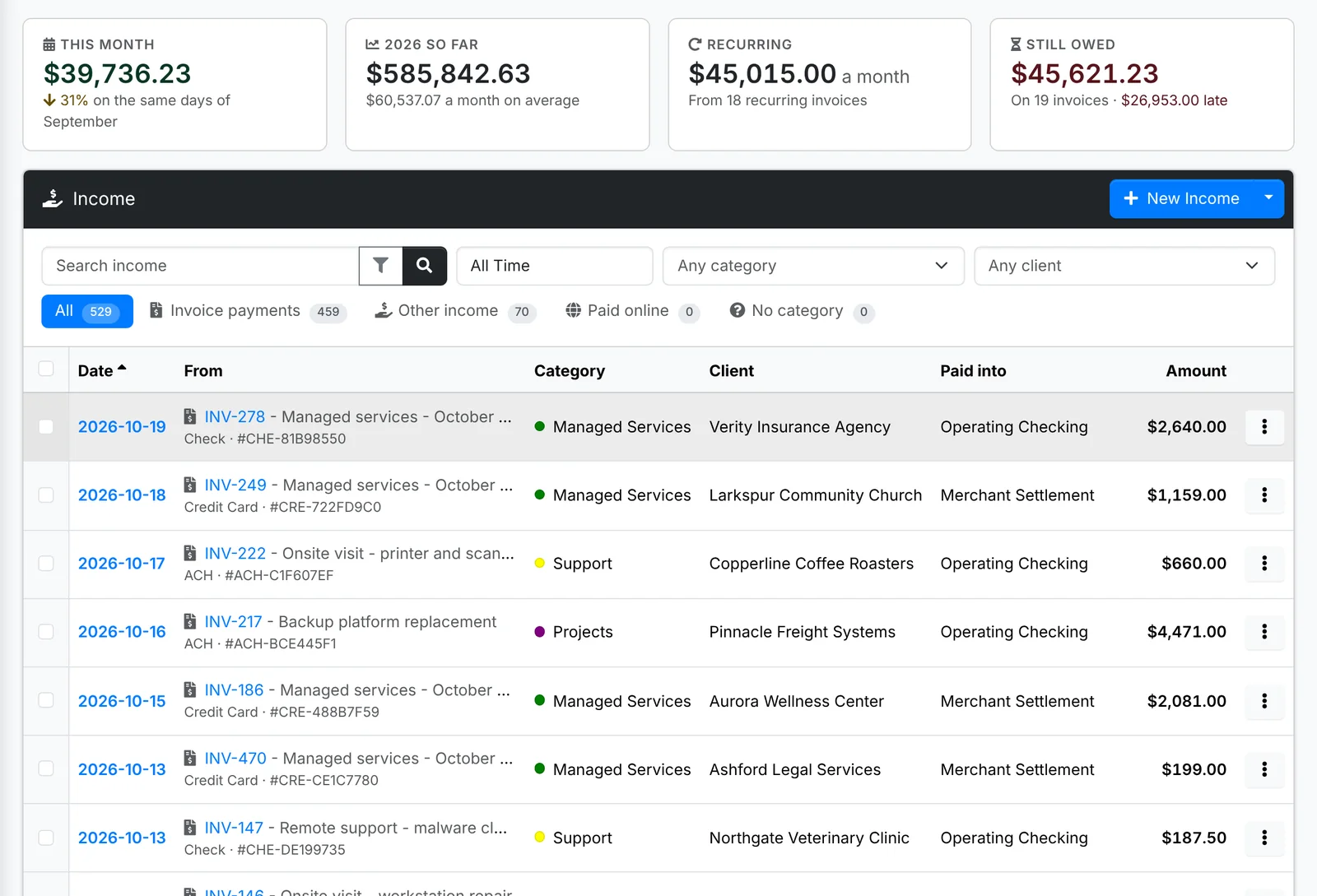
Along the top: what came in This month against the same days last month, the year So far with its monthly average, what your Recurring invoices bill a month, and what's Still owed on invoices.
The tabs are All, Invoice payments, Other income, Paid online and No category. Search, and narrow by date, category, client, account and payment method. Tick lines and use Bulk to set their category, account, payment method or client, or delete them.
Click a line for its quick look. A payment's shows the invoice it paid, with Open Invoice and Email Receipt - see Taking payments.
Record other income
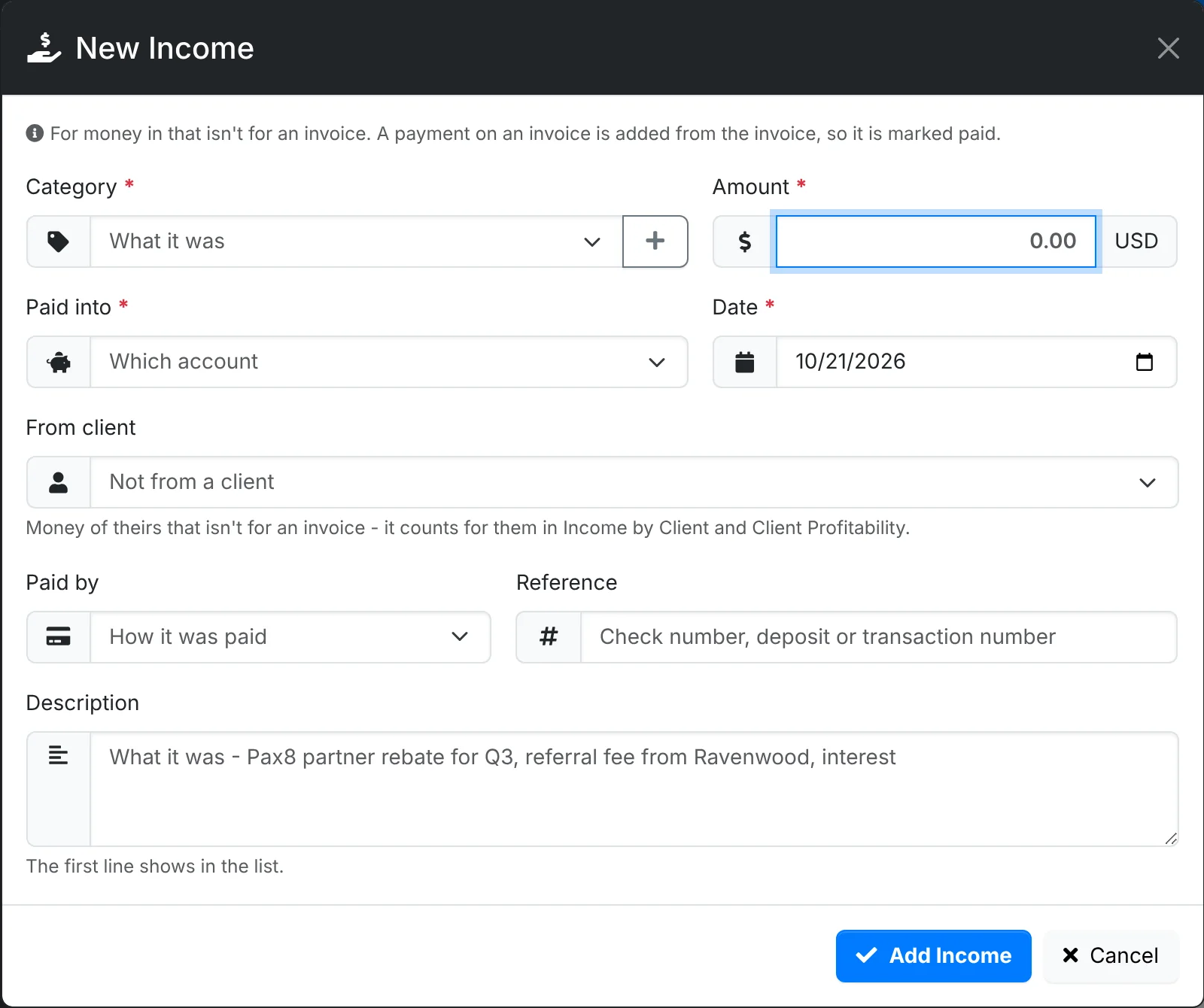
For money that isn't for an invoice. A payment on an invoice is added from the invoice instead, so the invoice is marked paid.
- Click New Income.
- Pick the Category - Interest, Rebates, Referral Fees - and the Amount.
- Pick the account it was Paid into and the Date.
- If it came from a client, pick them under From client. It then counts for them in Income by Client and Client Profitability.
- Pick how it was Paid by, add a Reference such as the deposit number, and a Description. Its first line shows in the list.
- Click Add Income.
To bring in a bank statement's deposits all at once, use Import Deposits in the menu beside New Income - see Importing statements.
Income Summary and Income by Client, in the same menu, are the reports for what came in by category and month, and what each client paid against the period before.