Tickets, statuses and SLAs
How tickets are numbered, made from email, billed and closed; your own ticket statuses; and SLA targets with business hours and holidays.
Ticket settings
Admin > Settings > Tickets sets how tickets work for everyone.
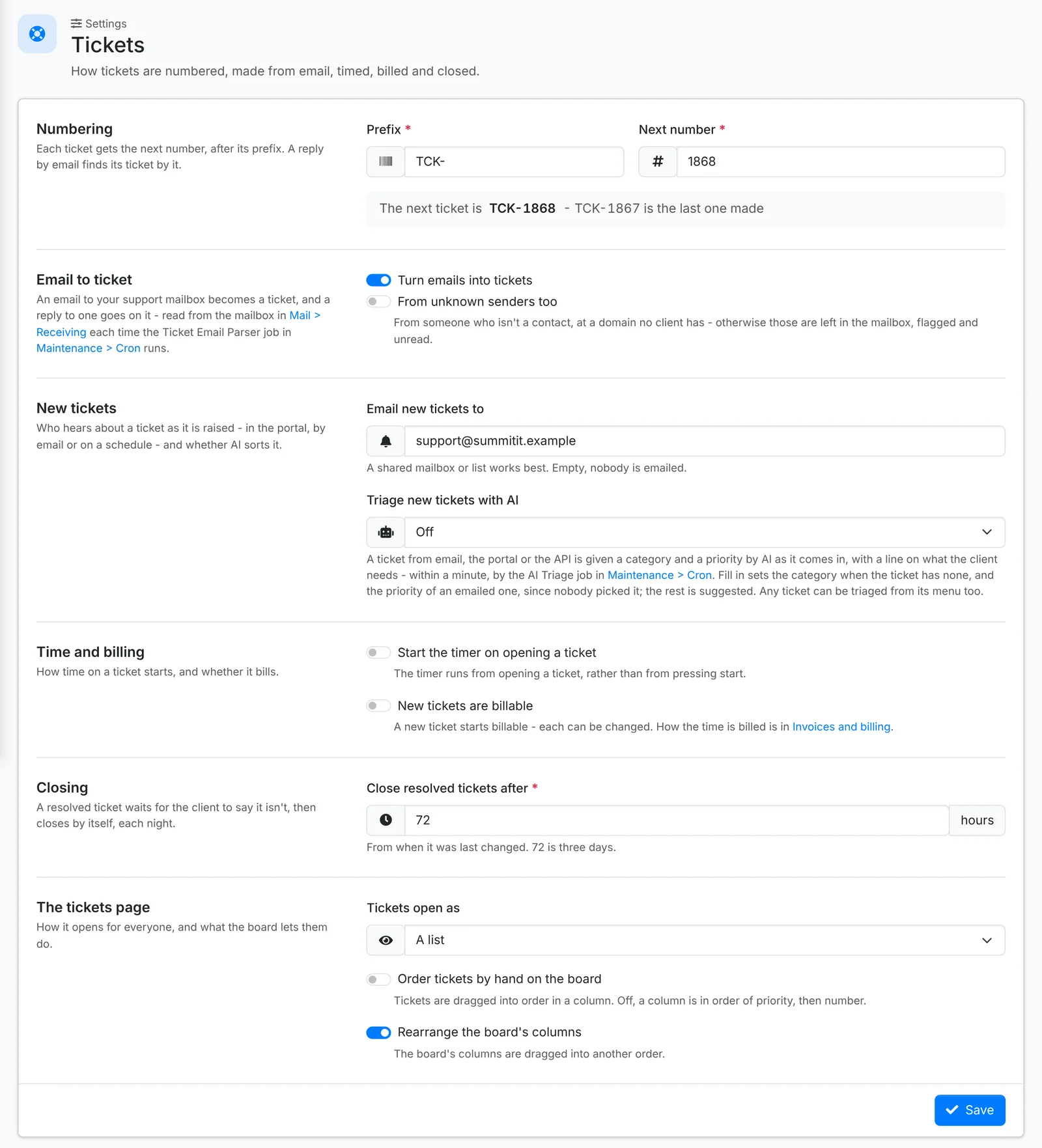
- Numbering - the Prefix, such as
TCK-, and the Next number. - New tickets - Email new tickets to a shared mailbox or list, so someone always sees them come in. Triage new tickets with AI gives tickets from email, the portal and the API a category and priority as they arrive - see AI.
- Time and billing - Start the timer on opening a ticket, and whether New tickets are billable. How the time is billed is in Invoices and billing.
- Closing - Close resolved tickets after so many hours. A resolved ticket waits for the client to say it isn't fixed, then closes itself overnight. 72 hours is three days.
- The tickets page - whether Tickets open as a list or the board, and whether agents can order tickets by hand on the board and rearrange its columns.
Email to ticket
Switch on Turn emails into tickets, and an email to your support mailbox becomes a ticket, and a reply goes onto its ticket. The mailbox is set up in Mail.
Email from someone who isn't a contact, at a domain no client has, is left in the mailbox, flagged and unread - unless you switch on From unknown senders too.
Ticket statuses
Tickets move through New, Open, On Hold, Resolved and Closed. Under Admin > Ticket Statuses you can add your own between them - "Waiting on vendor", "Scheduled", "Parts on order" - each with a colour.
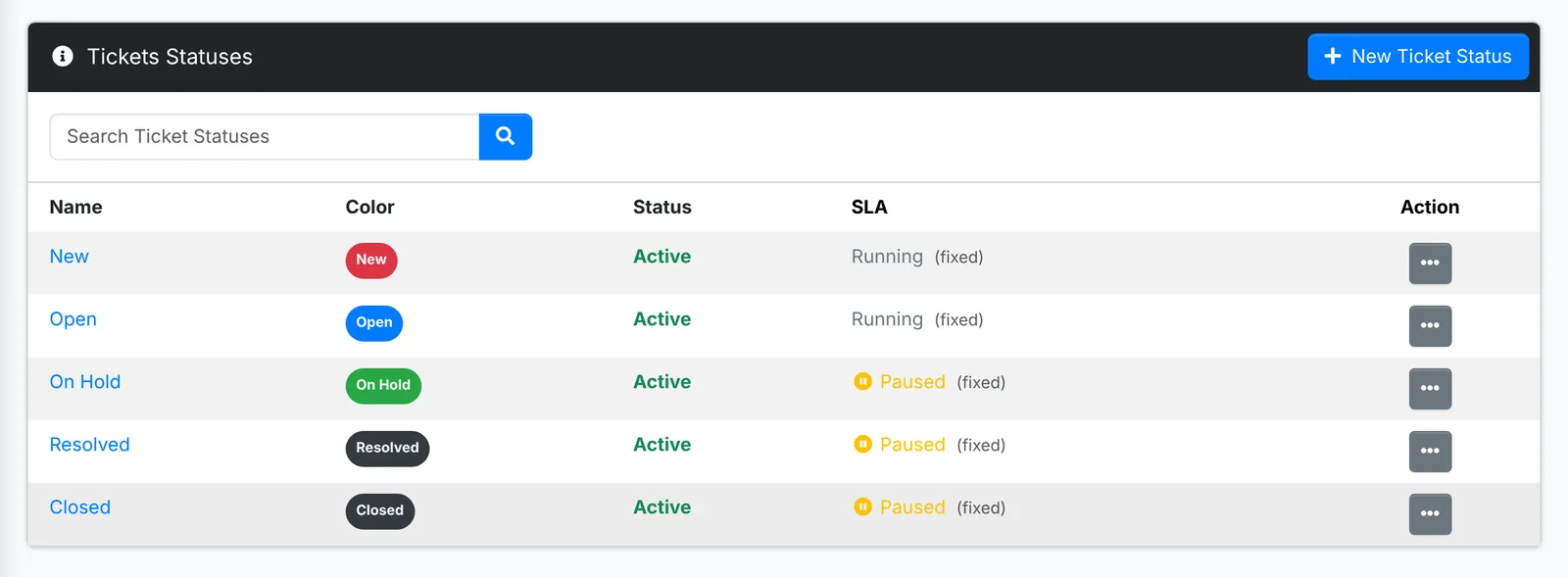
For each status, pick what happens to the SLA: Resolution clock keeps running, or Pause the resolution clock. A ticket in a paused status never warns or breaches on resolution; the time already spent is kept, and the deadline moves out when the ticket comes back. Pause it for statuses where you're waiting on someone else.
SLAs
SLAs are optional. With none assigned, tickets have no targets. Admin > SLAs has three parts.
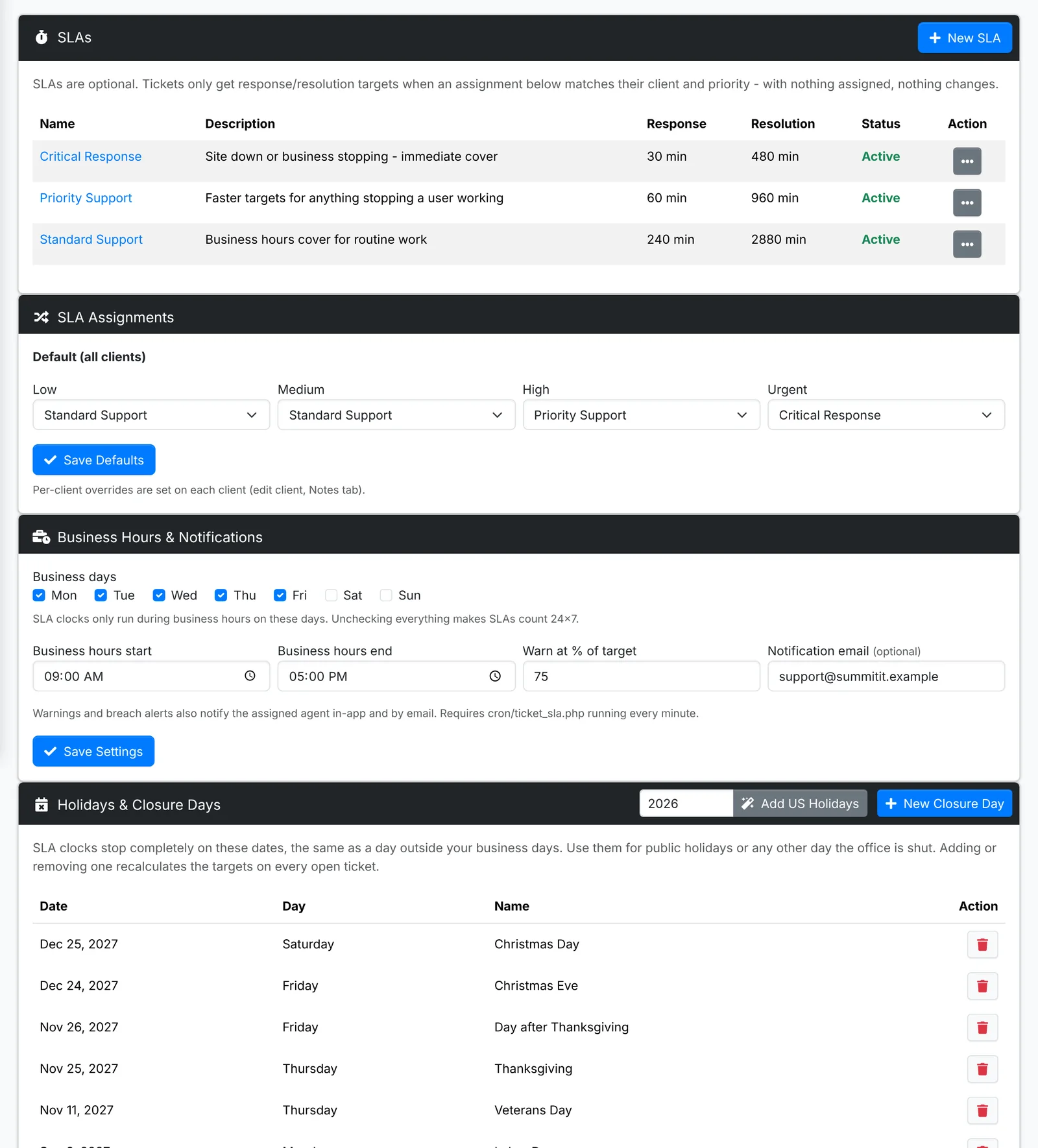
The SLAs - each has a Response target and a Resolution target, in business minutes: "Standard Support - 4 hours to respond, 2 days to resolve", "Critical Response - 30 minutes to respond".
SLA assignments - which SLA a ticket gets by its priority: Low, Medium, High and Urgent. The defaults apply to every client; set a client's own on that client's Edit window, for a contract with different terms.
Business hours and notifications - your Business days, and when the working day starts and ends. SLA clocks only run in business hours. Warn at % of target sends a warning before a target is missed, and Notification email sends warnings and breaches to a shared address as well as the assigned agent.
Holidays and closure days - days the office is shut, when SLA clocks stop. Add US Holidays adds a year's US public holidays in one go.
On a ticket, the SLA shows how long is left to respond and to resolve. See Working a ticket. The SLA reports show how well you're keeping to them.