Ticket and project templates
Tickets ready to raise - onboarding, offboarding, deployments, maintenance - with their tasks and the questions they ask, offered to clients as request forms, and built into project plans.
A ticket template is a ticket you raise again and again, set up once: its subject and details, its tasks, how it's set up - category, priority, who it goes to - and the questions it needs answered, such as the new starter's name and start date. Agents raise tickets from it, recurring tickets use it, project templates are built from it, and clients can ask for it as a request form in the portal.
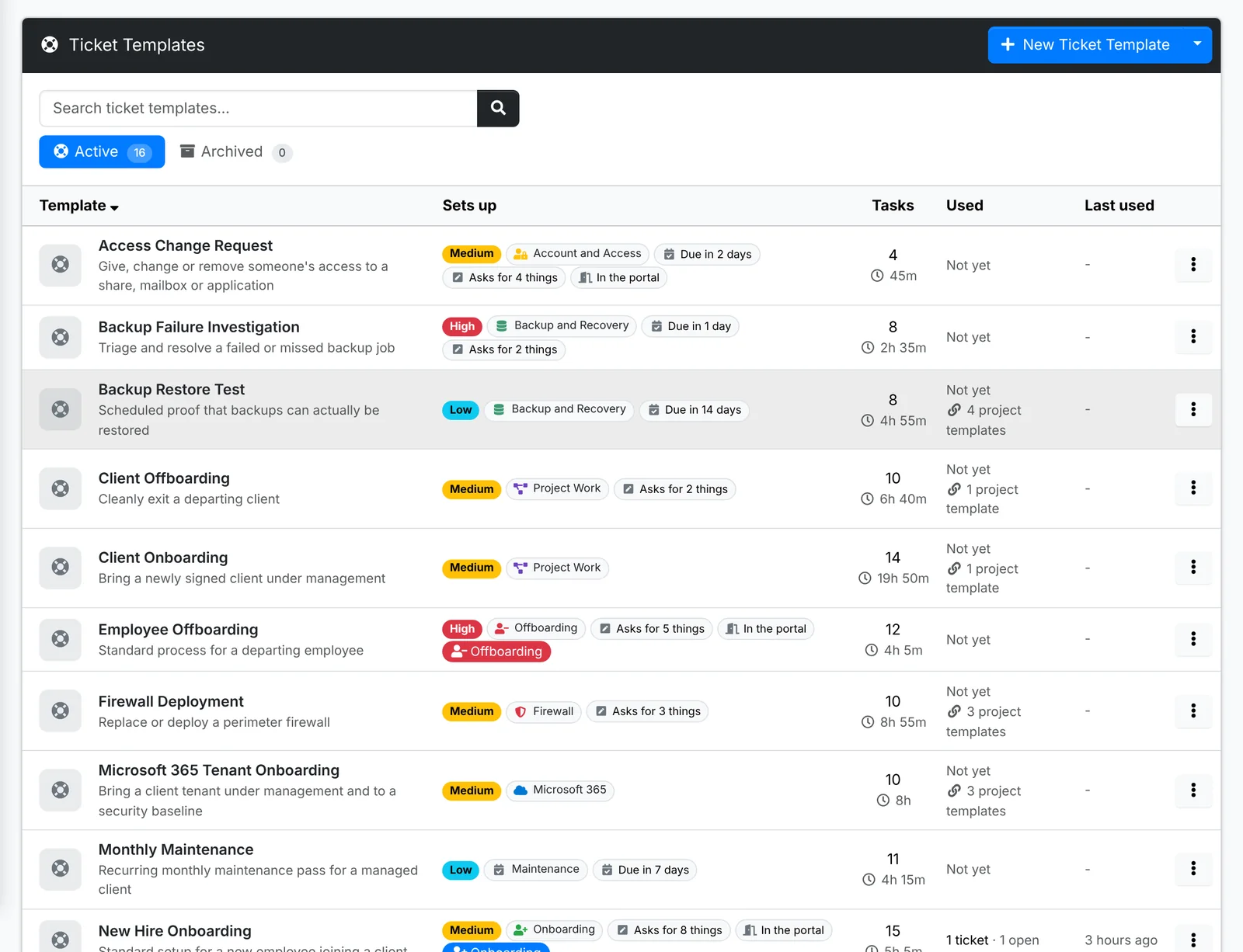
Each row shows what the template sets up, how many tasks it has and their time, and how often it's been used. Starter templates, in the menu beside New Ticket Template, adds a library of common MSP templates - see Maintenance.
A template's page
Click a template to open it.
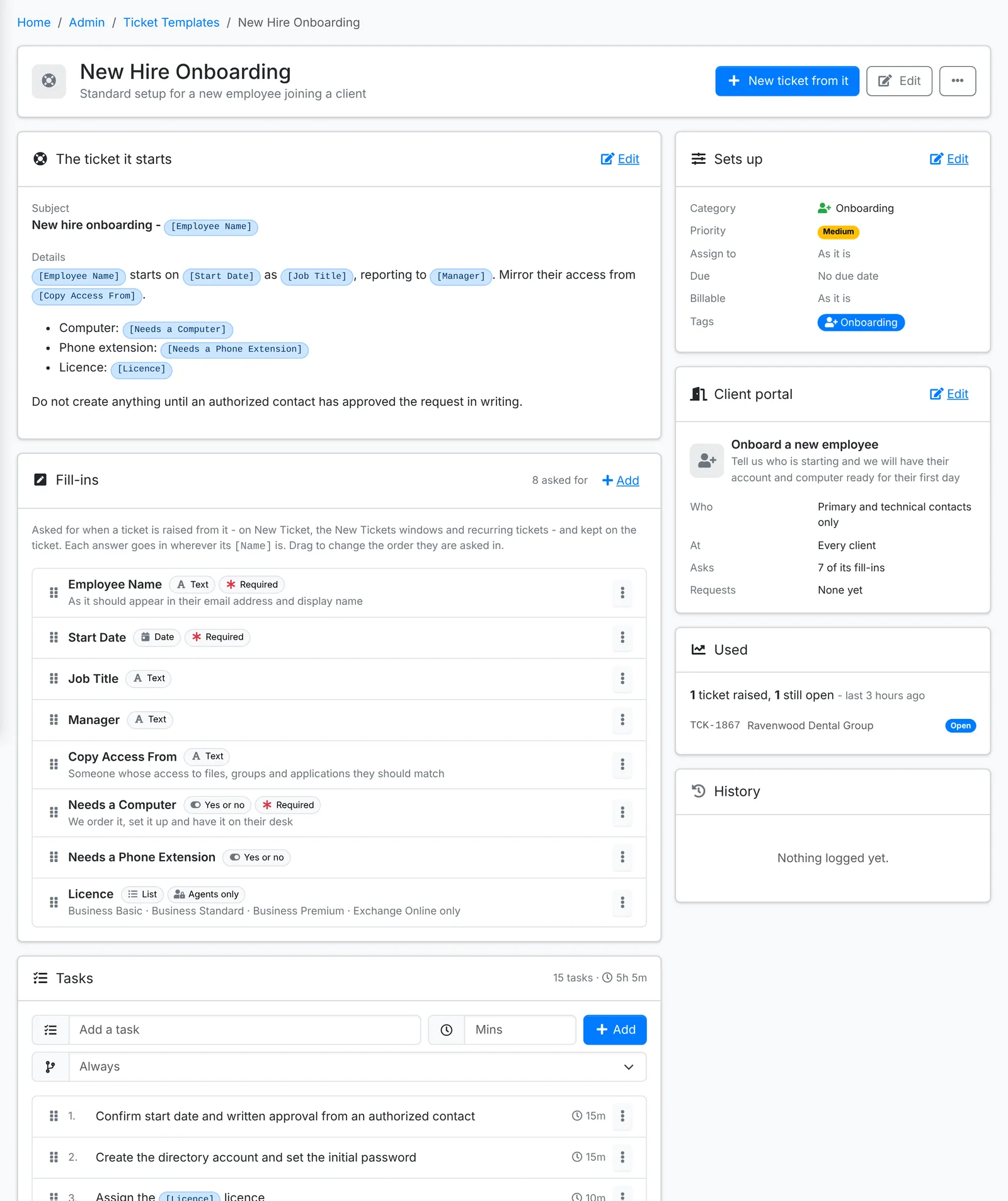
The ticket it starts
The Subject and Details of the tickets it raises. Put a fill-in's name in square brackets - [Employee Name], [Start Date] - and each ticket has the answer there instead.
Sets up
The Category, Priority, who to Assign to, when it's Due, whether it's Billable, and its Tags.
Fill-ins
The questions asked when a ticket is raised from it - on New Ticket, from a request form, or once for a recurring ticket. Each fill-in is Text, a Date, Yes or no or a List to pick from, and can be Required. A fill-in marked Agents only isn't asked in the portal. Drag them into the order they're asked.
Tasks
The tasks each ticket gets, in order, with the time each takes. A task can depend on an answer: pick Only when a fill-in is a choice - "Order a laptop" only when Needs a Computer is Yes - instead of Always.
Client portal
Offer the template to clients as a request form. Give it a Title and description in the client's words - "Onboard a new employee" - an icon, and pick Who sees it (everyone, or primary and technical contacts only) and At which clients (every client, or some). It asks the client its fill-ins that aren't for agents only. See Tickets and requests.
New ticket from it raises a ticket now. ⋮ has Copy, Archive (it stays on the recurring tickets and project templates using it, but isn't offered for new tickets) and Delete.
Project templates
A project template is a plan a new project can start from - onboarding a client, a server refresh, an office move. It's an ordered set of ticket templates, each bringing its tasks.
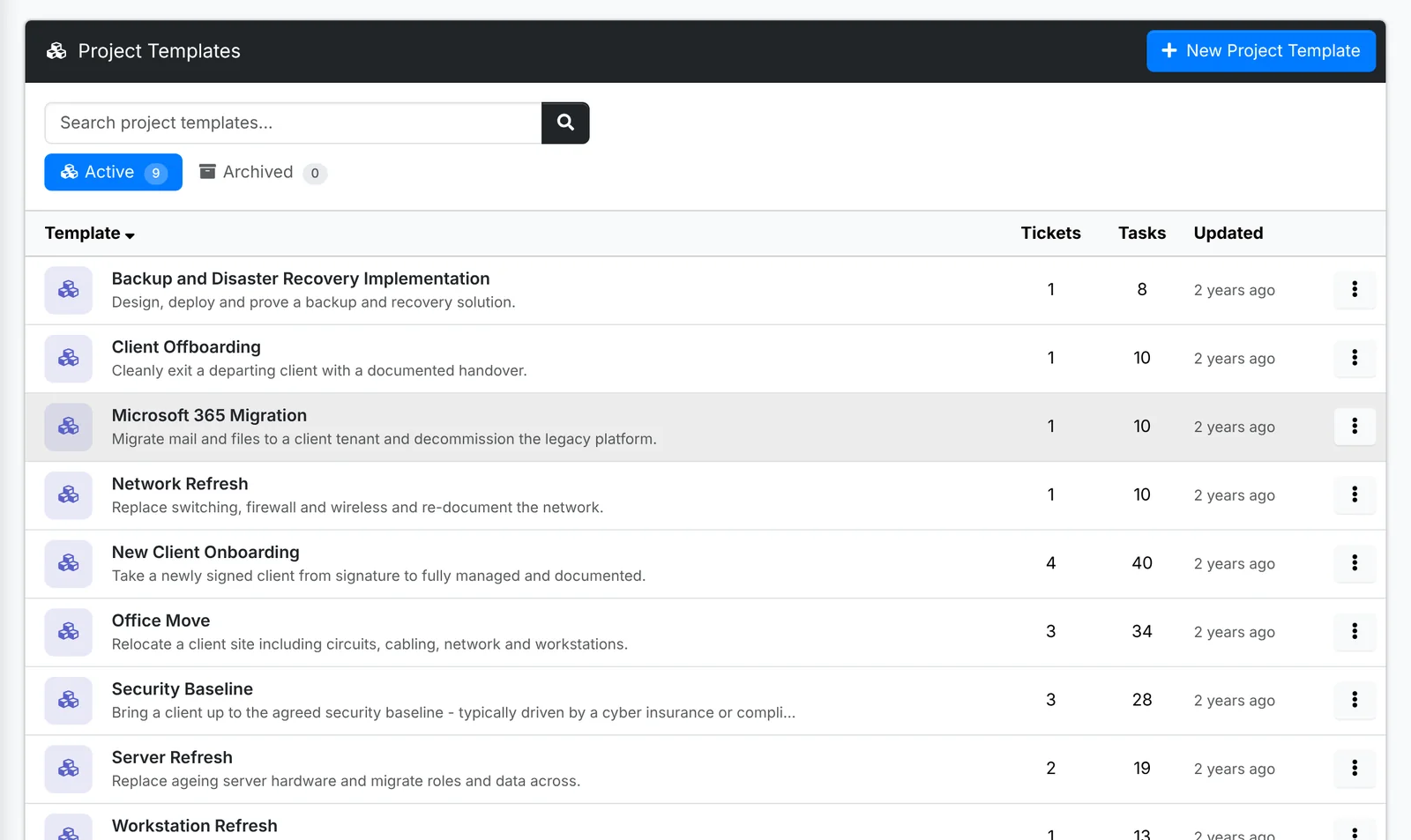
Open Admin > Project Templates, click New Project Template, then add the ticket templates in order. When an agent starts a project from it, the project gets those tickets, ready to work. See Projects.
How they are used, in the menu beside New Ticket Template, is a report of which templates are used, by whom - agents, the portal, schedules or projects - how long their tickets take, and the ones nobody uses.