The client overview
One page that tells you where a client stands - what needs attention, their open work, the people to call, what's coming up and what they owe.
Opening a client takes you to its Overview. It's built to answer "what do I need to know about this client right now?" before you pick up the phone or start on a ticket.
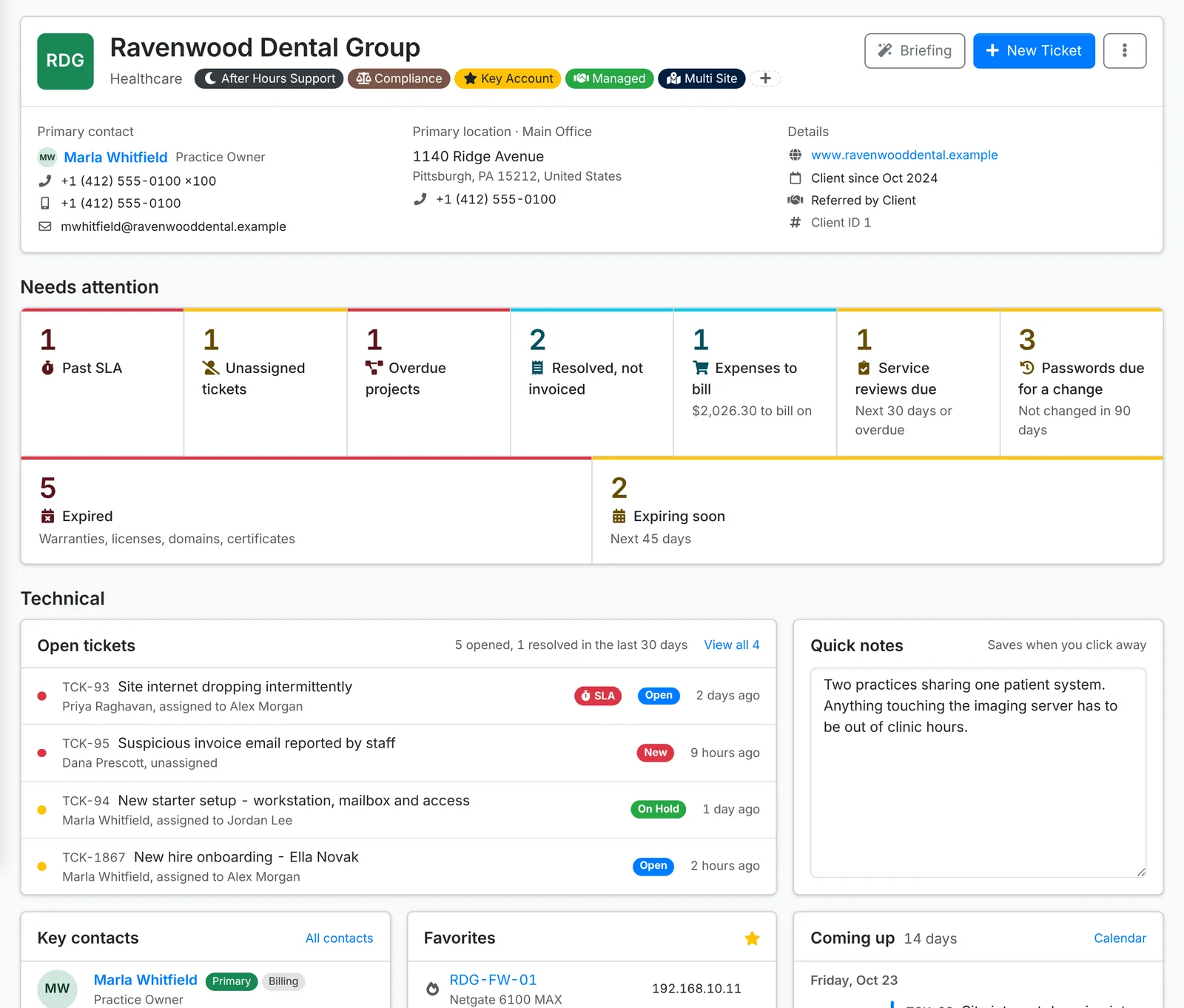
The header
Along the top: the client's initials, name, industry and tags, their primary contact with phone and email, their primary location, and details such as their website, how long they've been a client and who referred them.
New Ticket raises a ticket for this client. The ⋮ menu has New Project, Edit Client, Export Data, Client Review and Archive Client.
Needs attention
A row of tiles counting what needs doing for this client. Each one opens a list of exactly those. Only the ones that apply show up, such as:
- tickets past their SLA, unassigned tickets and overdue projects
- work resolved, not invoiced and expenses to bill
- service reviews due, passwords due for a change, licenses over seats and certificate problems
- documents, licenses or vendors the client should have and doesn't
- warranties, licenses, domains and certificates expired or expiring soon
Technical
- Open tickets - the client's open tickets, with how many were opened and resolved in the last 30 days.
- Quick notes - anything the next person should know: gate codes, quirks, who to ask for. Type in it and it saves when you click away.
- Key contacts - the client's contacts with a role (primary, important, billing or technical), primary first, with their phone numbers and email.
- Favorites - the assets and logins you've starred for this client, with a login's password and 2FA code a click away.
- Coming up - the next 14 days: scheduled tickets, events and recurring work.
- Projects and Services, with what needs a look.
- Renewals - domains, certificates, licenses and warranties expired or due in the next 45 days.
- Assets - how many of each kind, and how many warranties are covered or expired.
- Shared links that are still open, and Recent activity - the latest changes, with a link to the client's audit log.
Financial
If your role covers billing, the overview ends with the client's money:
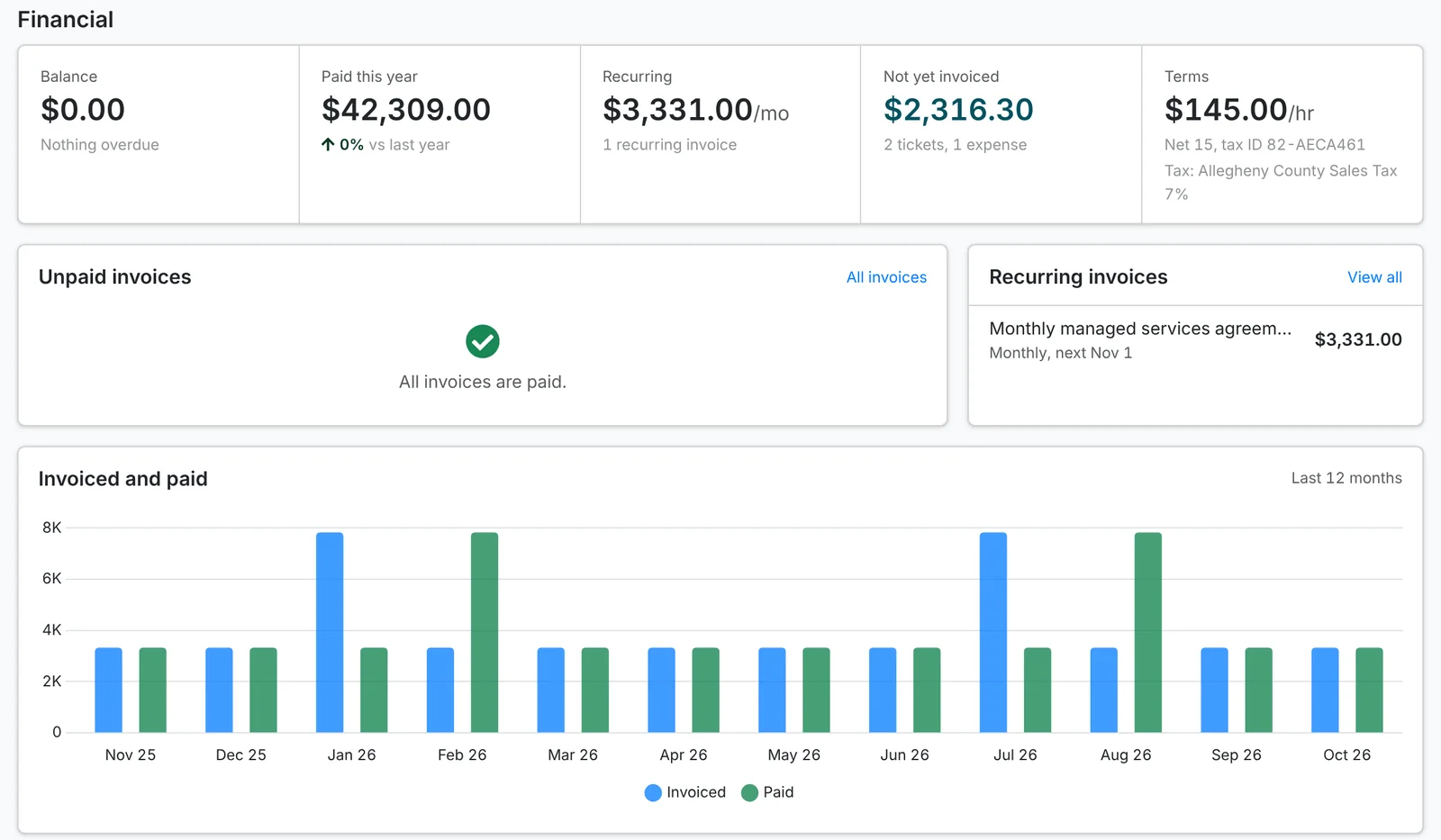
- Balance - what they owe, and how much of it is overdue.
- Paid this year, against last year.
- Recurring - what their recurring invoices bring in a month.
- Not yet invoiced - billable tickets and expenses waiting to be billed, and what they come to. Click it to open Unbilled time for this client.
- Terms - their hourly rate, payment terms, tax ID and tax rate, or that they're tax exempt.
- Unpaid invoices, Recurring invoices and a chart of what was invoiced and paid each month for the last year.
Before a call or a quarterly review, Briefing on the overview has AI sum the client up - how things stand, what keeps coming up, renewals and what to raise with them. It's there when your admin has set up AI. See Using AI.