Exporting a client's data
Hand a client their documentation as a printable runbook, or take everything you hold for them out of ITFlow in one zip.
There are two ways to export a client, both from Export Data in the ⋮ menu of the client's header:
- Documentation PDF - a printable runbook of their IT, to hand over or keep on file.
- Full export - one zip with everything you hold for the client, for a handover, when they leave you, or for your own records.
Each export is recorded in the client's audit log, including whether passwords went out.
Documentation PDF
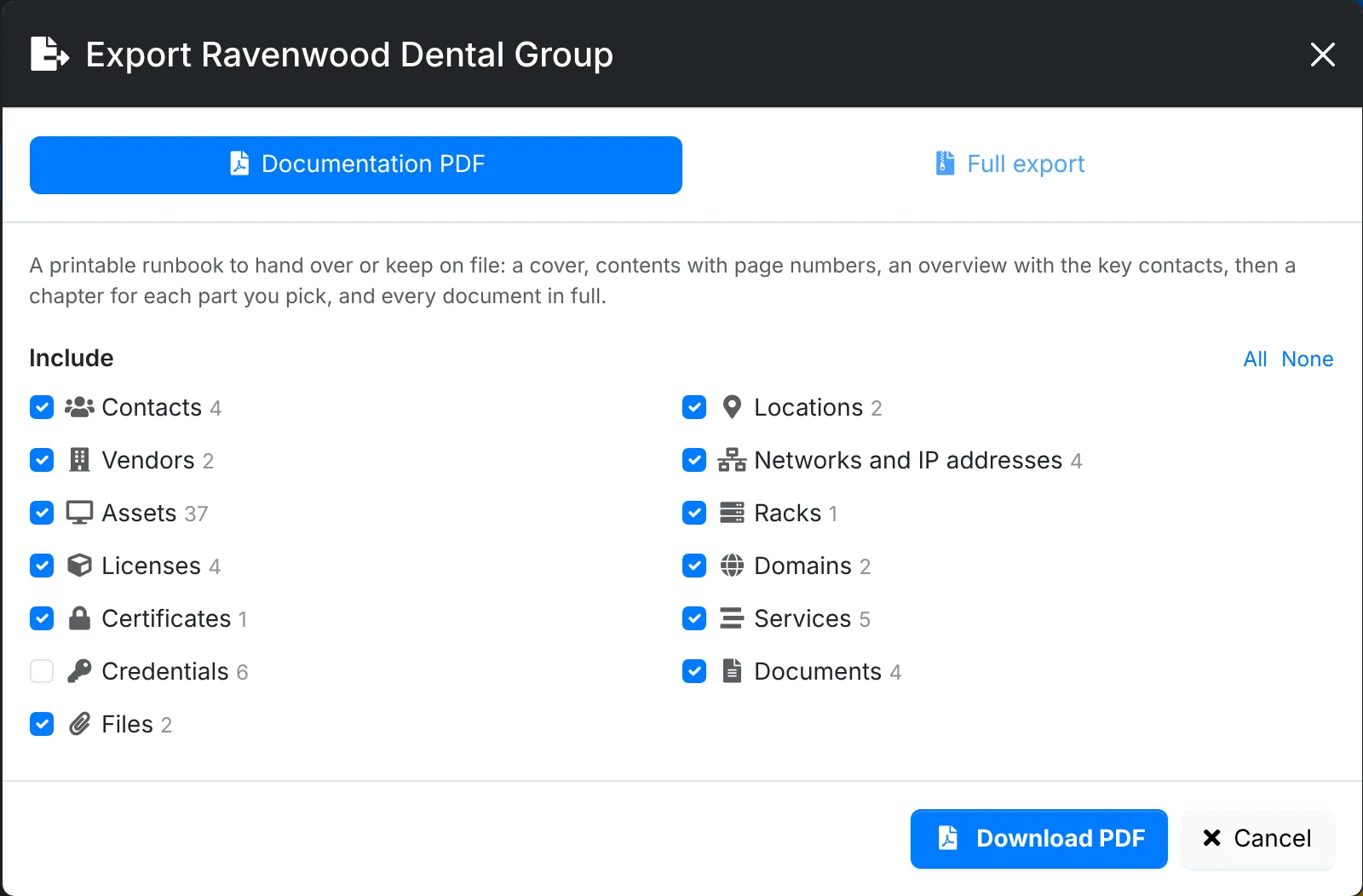
The PDF has a cover, a contents page with page numbers, and an overview with the client's key contacts, service levels and how to reach you. Then comes a chapter for each part you tick: contacts, locations, vendors, networks with their IP addresses, assets by type, racks, licenses with their keys and who holds them, domains, certificates, services, credentials, files, and every document in full with its images.
- Open the client and click ⋮ > Export Data.
- Leave Documentation PDF picked, and tick the parts to include. All and None tick or untick the lot.
- Click Download PDF.
Full export
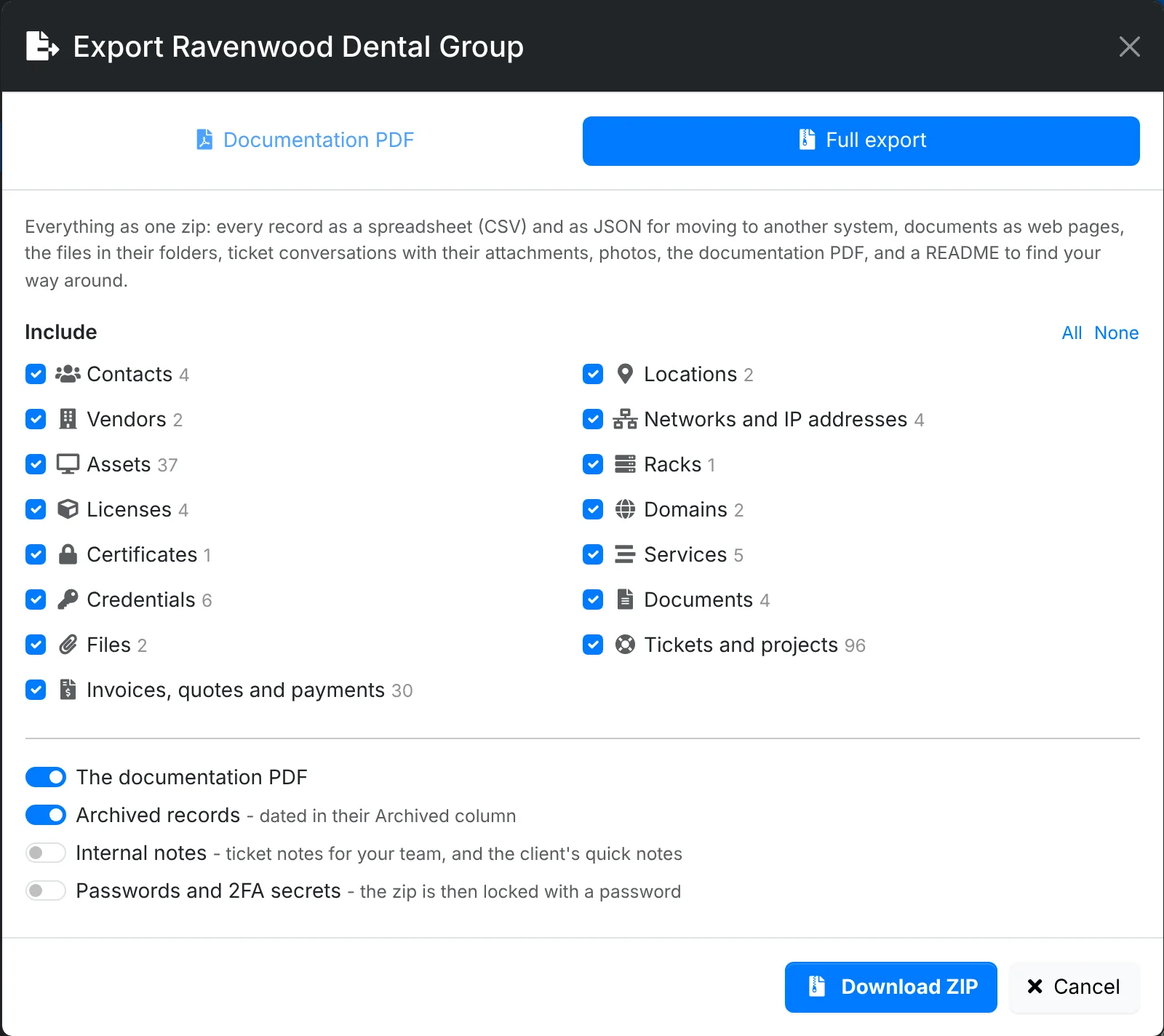
The zip has:
- every record as a CSV spreadsheet, and as JSON for moving to another system
- documents as web pages in their folders, and files in their folders under their own names
- tickets and projects, with the ticket conversations and their attachments
- invoices, quotes and payments
- photos, the documentation PDF, and a README.html that links it all together
Under the parts to include are switches for The documentation PDF, Archived records (marked with when they were archived), Internal notes (your team's ticket notes and the client's quick notes) and Passwords and 2FA secrets.
- Open the client and click ⋮ > Export Data, then Full export.
- Tick the parts and set the switches.
- Click Download ZIP.
Passwords
Passwords and 2FA secrets are left out unless you ask for them. When you include them, you set a password for the file, and the PDF or zip is locked with it (AES-256 encryption). Give the client the password separately - by phone, say - not in the same email as the file.
An encrypted zip opens with 7-Zip, WinRAR, Keka or The Unarchiver. The zip tools built into Windows and macOS can't open it.