Taxes
The sales tax rates on invoice and quote lines - single rates or rates in parts, the default, tax-exempt clients, and changing a rate safely.
Admin > Taxes holds the tax rates you charge on invoice and quote lines, and how new lines get one.
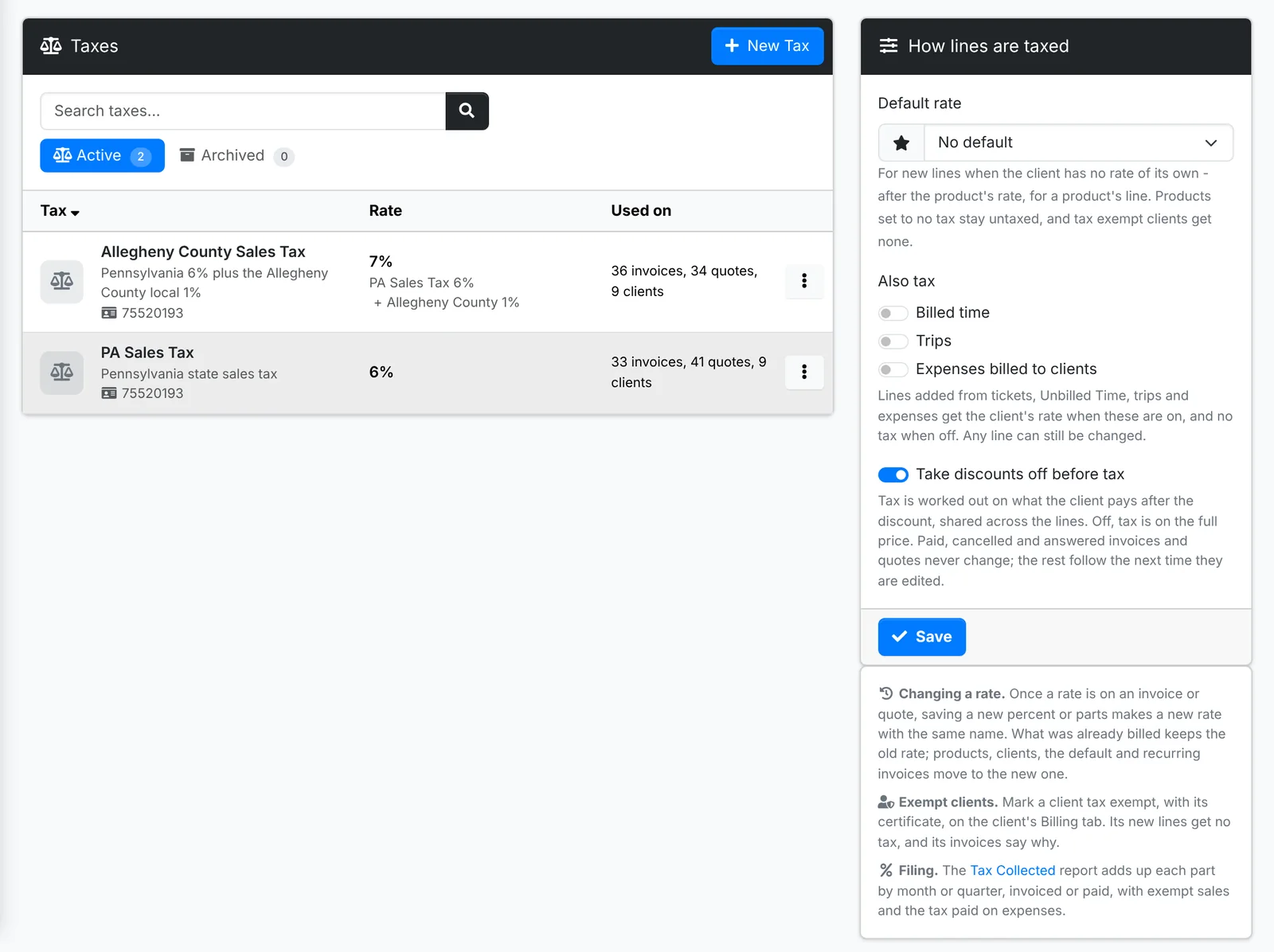
Each rate shows its percent, its parts, its registration number, and how many invoices, quotes and clients use it.
Add a tax
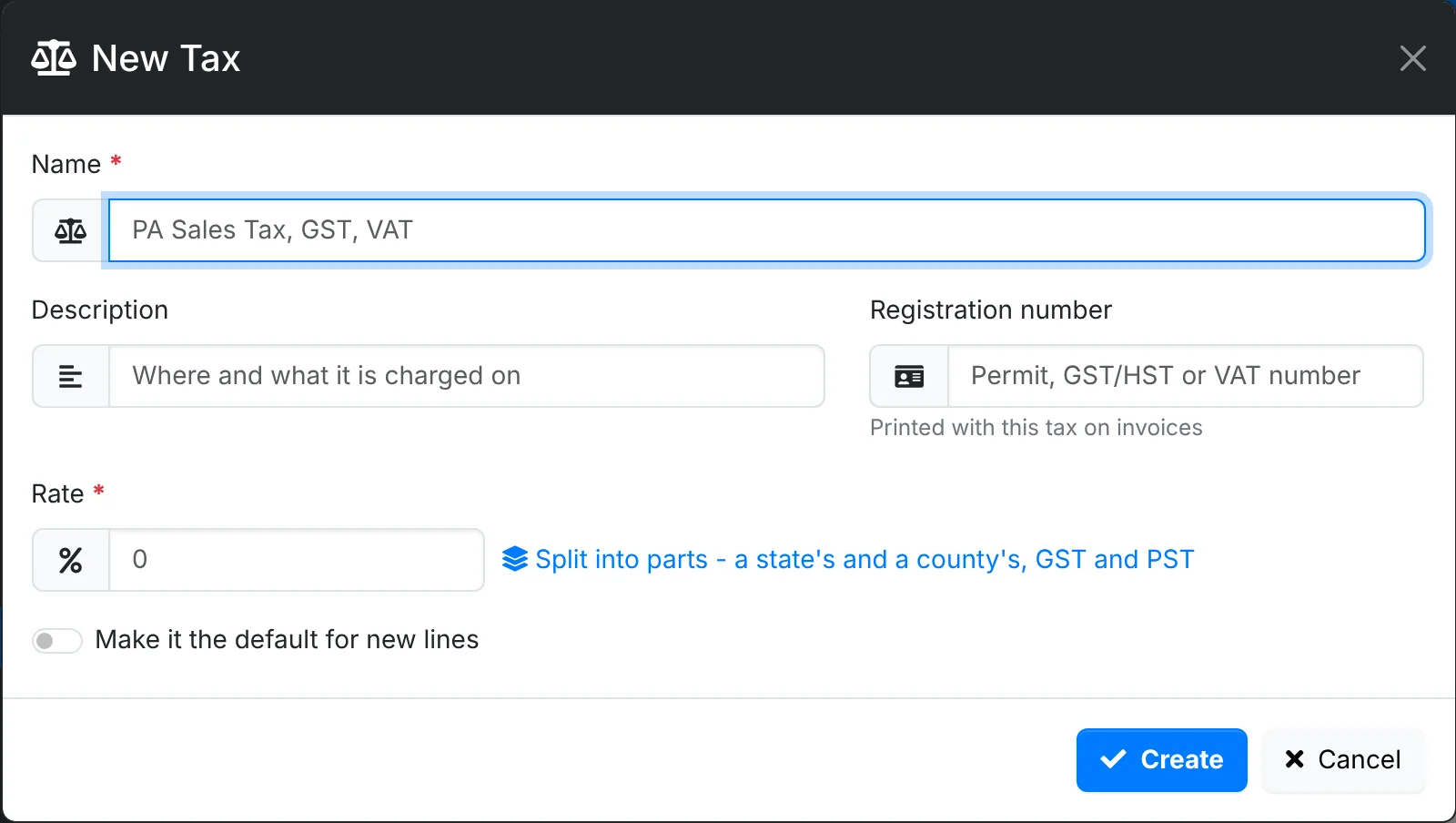
- Click New Tax.
- Give it a Name - "PA Sales Tax", "GST", "VAT" - and a Description of where and what it's charged on.
- Add the Registration number if you have one. It's printed with this tax on invoices.
- Type the Rate as a percent.
- Switch on Make it the default for new lines if most of your lines should carry it.
- Click Create.
Rates in parts
Some taxes are made of parts - a state's rate and a county's, or GST and PST. Click Split into parts and add each with its own percent. Each part is shown on its own line on invoices, with its own registration number or the tax's.
On top charges a part on the line plus the parts above it, for the places where one tax is charged on another. Name a part the same as a part of another tax - "PA Sales Tax" at 6% in both a state rate and a county rate, say - and the Tax Collected report adds them up together.
How lines are taxed
Alongside the list:
- Default rate - for new lines when the client has no rate of its own and the product has none. Products set to no tax stay untaxed.
- Also tax - whether Billed time, Trips and Expenses billed to clients get the client's rate when they're added. Off, they go on with no tax. Any line can still be changed.
- Take discounts off before tax - tax is worked out on what the client pays after the discount. Off, tax is on the full price.
A client's own rate is set on the Billing tab of the client's Edit window. Mark a client tax exempt, with their certificate, and their new lines get no tax, and their invoices say why.
Changing a rate
When a rate changes, edit it. If it's already on invoices or quotes, saving a new percent makes a new rate with the same name: what was already billed keeps the old rate, and products, clients, the default and recurring invoices move to the new one. The old rate is archived, showing what replaced it.
A rate nothing has used can be deleted.
The Tax Collected report adds up the tax on your sales for each part, by month or quarter, invoiced or paid, with exempt sales and the tax you paid on purchases - ready for your return. See Reports.