Recurring expenses
The bills you pay every month, quarter or year - rent, colocation, licensing, insurance - recorded for you on the day, and tied to what you resell.
A recurring expense is something you're committed to paying again and again: the office rent, colocation, your partner licensing, insurance, a lease. ITFlow records the expense for you each time it falls due, so your spending is always up to date without anyone typing it.
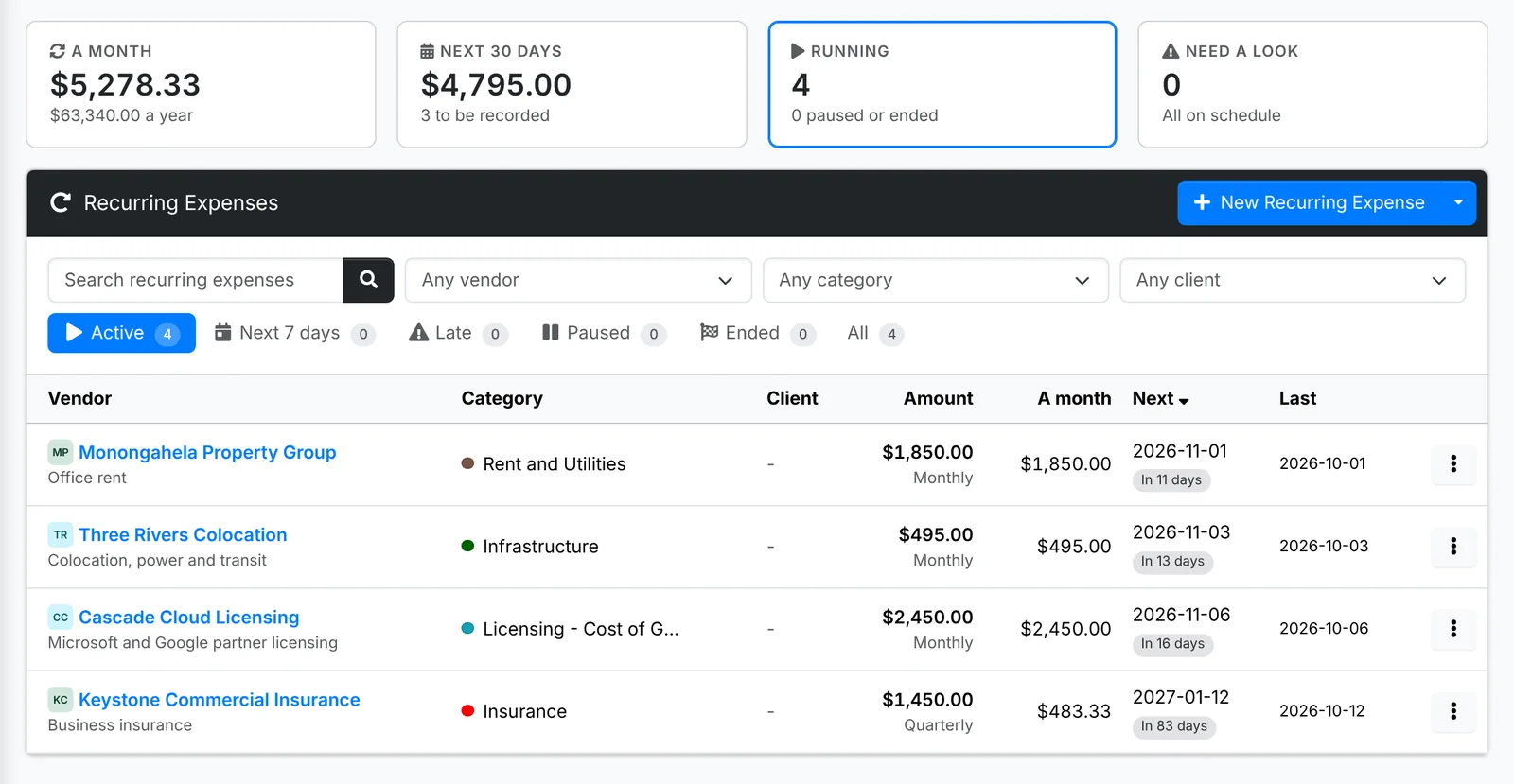
Along the top: what they come to A month (quarterly ones count as a third, yearly as a twelfth), what's recorded in the Next 30 days, how many are Running, and how many Need a look.
The tabs are Active, Next 7 days, Late, Paused, Ended and All.
Set one up
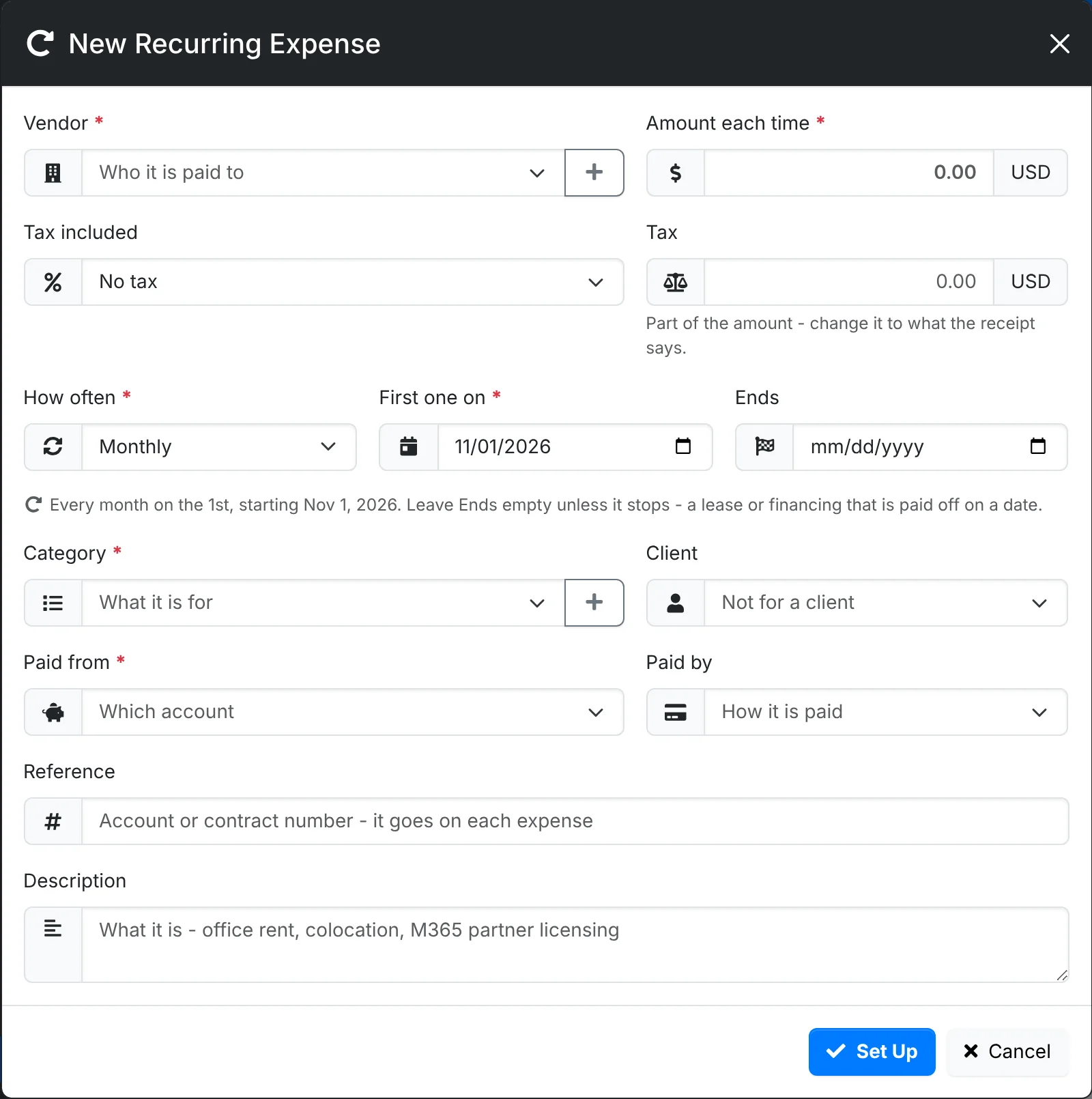
- Go to Finance > Recurring Expenses and click New Recurring Expense.
- Pick the Vendor and the Amount each time, and the Tax included if any.
- Pick How often - monthly, quarterly or yearly - and when the First one is. Leave Ends empty unless it stops on a date, such as a lease or financing that's paid off. The schedule is written out in words under it.
- Pick the Category, and the account it's Paid from and how it's Paid by.
- If it's for one client, pick the Client and how it's billed:
- Our cost - not billed on - you pay it, and it counts against the client in Client Profitability
- Billed on to them each time - each expense waits in Unbilled Time to go on their invoice
- Covered by their recurring invoice - pick the recurring invoice that pays for it, so you can see the margin it leaves
- Add a Reference, such as the account or contract number - it goes on each expense - and a Description.
- Click Set Up.
Run, pause and change
Click one for its quick look: what it records, when, and the expenses it has recorded so far.
- Record Now records the next one straight away.
- Pause stops it until you Resume it.
- Edit changes it, from the next one on.
If one's next date has passed without it being recorded, it's listed under Late and its quick look says when it was due. Record Now records it, or Move On skips to the next date without recording it.
Link the licensing, hosting and backup you resell to the client's recurring invoice - with Covered by their recurring invoice, or Add on the invoice's Costs card. The recurring invoice then shows the margin it really leaves each month. See Recurring invoices.